Users
The Users section is designed for managing system users. For the Integrator role, all necessary actions with users are available: adding or deleting users, viewing the list of available users, changing user settings, changing passwords and user rights, blocking a user in the system, adding objects, granting access to sections, and other settings.
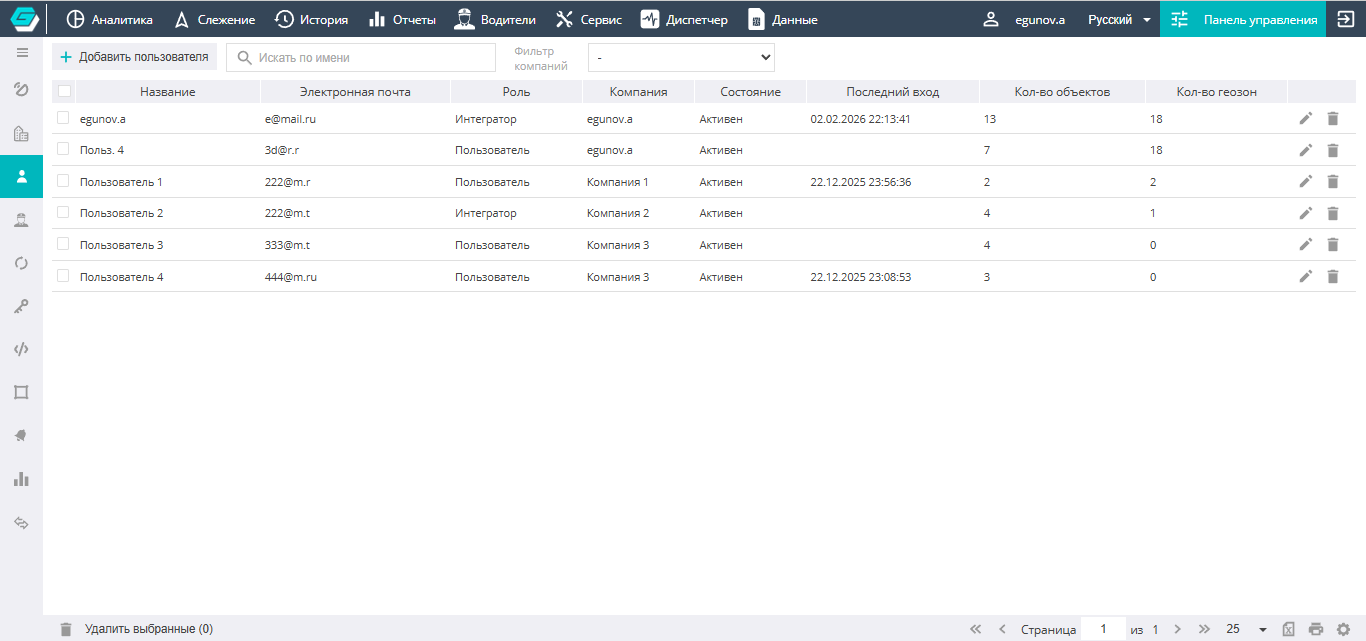
Adding a new user to the system

A new user is added using the Add user field.
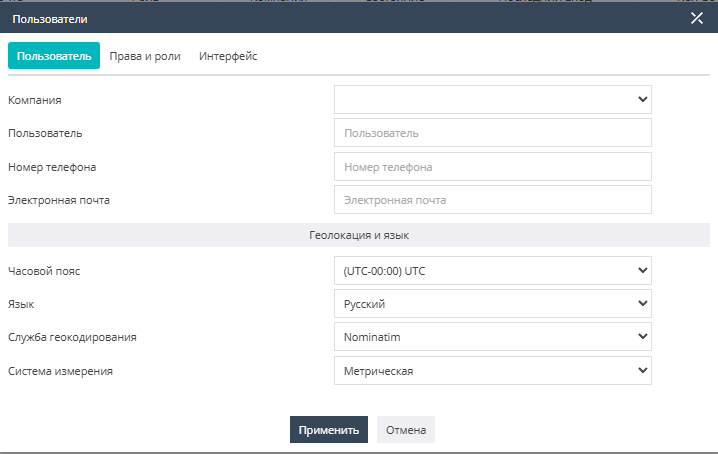
The dialog contains tabs that allow you to configure settings, the system interface, and user rights, as well as tabs with which you can manage the ownership and visibility of the user's objects.
User settings are edited through the user edit dialog, which opens by clicking the icon  .
.
The User tab contains the main information about the user: name, Company affiliation, email, contact details, time zone, language, and the choice of measurement system (Metric by default).
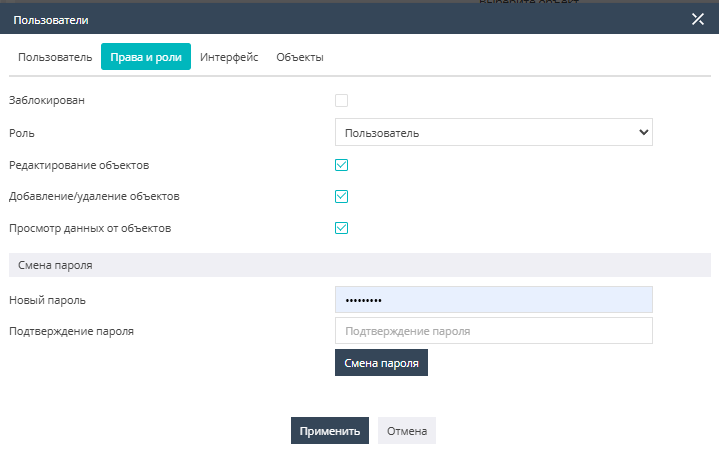
The Rights and roles tab lets you configure the role and available rights of the user, block the User, or change their password.
The system provides 4 main User roles:
-
Observer — a user who has access to monitoring the current state and location of objects in the Tracking tab. Access to the Dispatcher functionality is possible. Sending commands to devices is allowed. Rights to view object history, build reports, create or edit companies, users, objects and object groups, geozones and geozone groups, and drivers are absent.
-
Demonstration — a user with the rights to view all data from objects, but without the right to edit it. The following tabs are available: Analytics, Tracking, History, Reports, Drivers, Service, Dispatcher. Rights to create or edit companies, users, objects and object groups, geozones and geozone groups, and drivers are absent.
-
User — a role with full rights to the elements belonging to it. The following tabs are available: Analytics, Tracking, History, Reports, Drivers, Service, Dispatcher. This role is distinguished by the availability of the Control Panel tab with settings for objects/object groups, drivers/driver groups, shifts, keys and tags, commands, geozones/geozone groups, and notifications/notification groups. Thus, the User can manage the parameters of their own objects, as well as create or edit notifications and alarms, and geozones/geozone groups. The User has the rights to view the objects of other users belonging to their company. They do not have the rights to manage companies and users, create their own report templates, or configure relays.
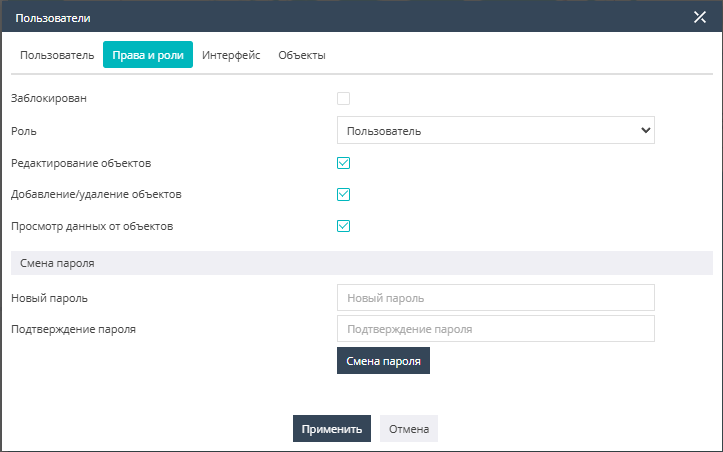
Permission to edit objects grants the rights to edit object settings (excluding IMEI), edit object parameters, as well as create and edit object sensors.
Permission to add/delete objects allows the user to create objects, including the rights to import objects, as well as to delete their own objects of their Company.
The Permission to view data from objects opens access to the Data section and allows viewing raw messages from objects (more details in the Data section).
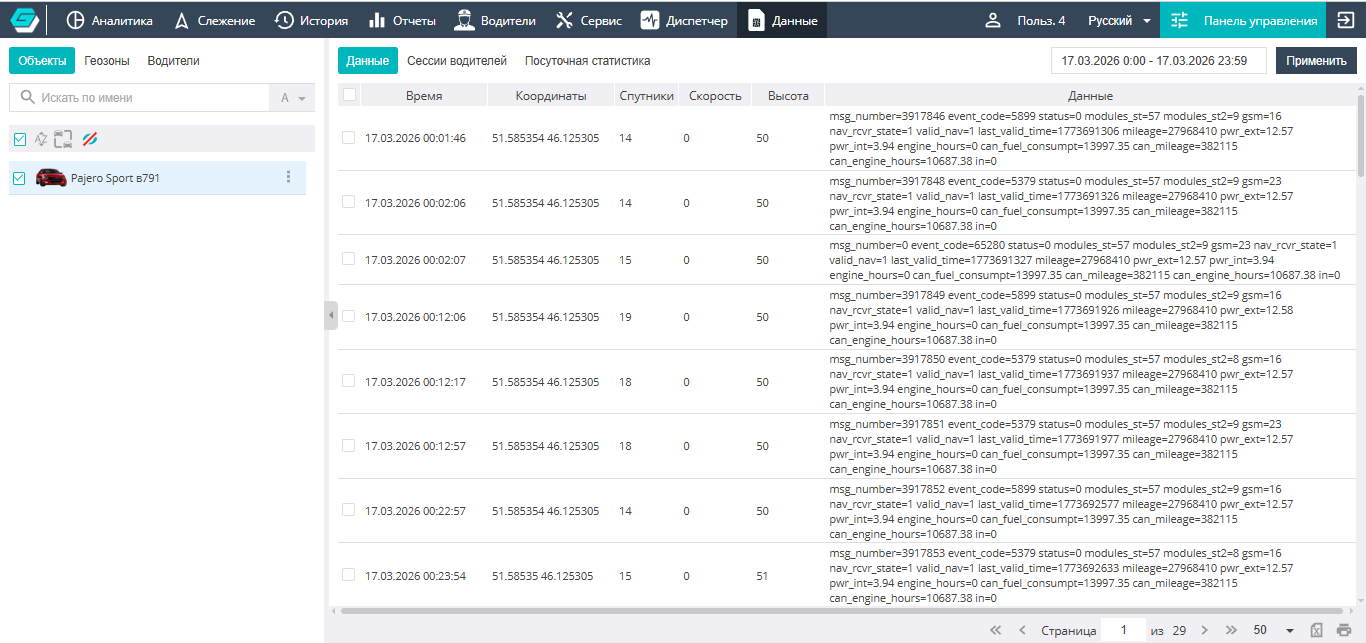
- Integrator — a role designed for managing companies, users, and objects. The integrator's rights allow creating a service hierarchy and fully managing it. The following tabs are available: Analytics, Tracking, History, Reports, Drivers, Service, Dispatcher, and the Control Panel with full rights, including configuring relays to third-party services and creating report templates for users.
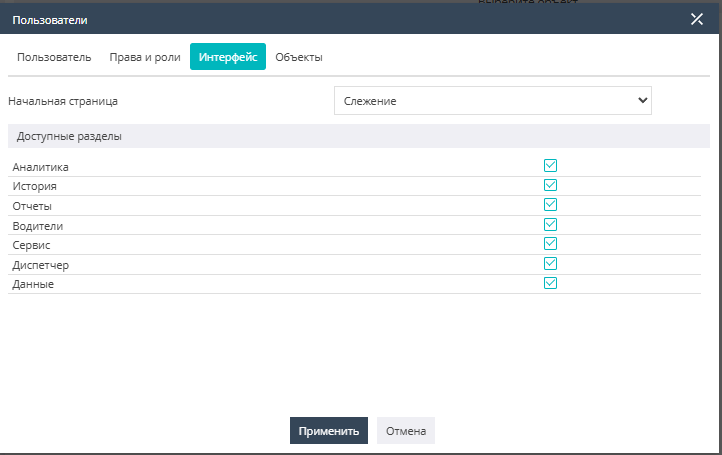
On the Interface tab, you configure the availability of the sections required for the User's work, and also set the choice of the start page on which the system will open for the User.
The Objects tab is intended for transferring/displaying system elements (objects, geozones) between users.
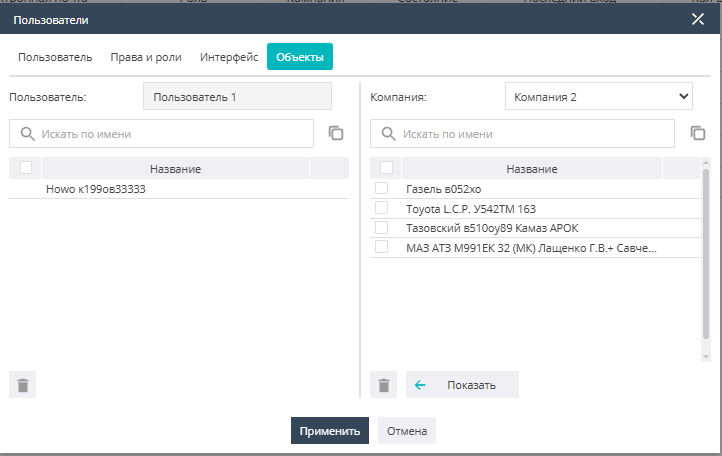
Visually, the tabs are divided into two halves: the left part of the dialog displays the objects available to the user being edited, while the right part allows you to select objects from other Companies and work with the necessary objects under your User.
It should be noted that objects to which the user has been granted view-only access from other Companies cannot be deleted from the server or edited by this user.