Keys and tags
Keys (tags) are intended for identifying drivers in the system. Each key (tag) has its own individual identifier, by means of which the object (the equipment in the vehicle) determines the driver. If the equipment supports such a function, the driver cannot start the vehicle without first presenting the key to the reader. At a fuel station, the driver also will not be able to refuel the vehicle without presenting the key to the fuel controller.
A key is associated with a driver. Driver identification by key is necessary for keeping statistics directly by drivers. For this, a concept such as a "driver session" is used. It lasts from the moment the driver presents the key card to the tracker until the engine is turned off. In this way, mileage, engine hours, fuel consumption, and penalties are determined for the specific driver who was behind the wheel at a specific time.
For correct operation, the object must know which keys it should accept. For this, the keys must be entered in the device settings.
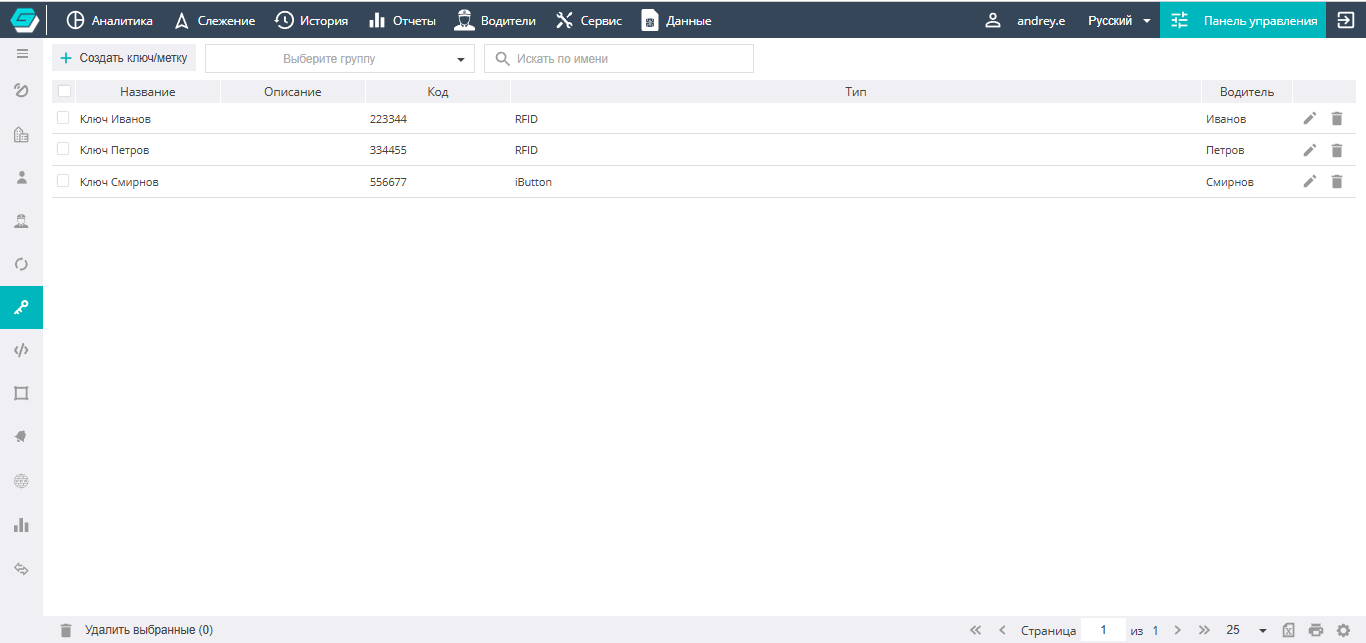
The central part of the screen is occupied by the list of existing keys (tags). In the list, you can search by name using the search box, as well as perform deletion and editing.
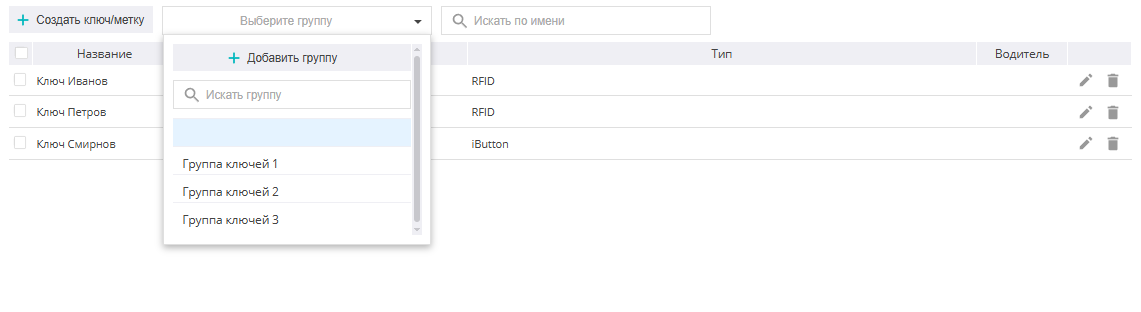
For convenient work with a large number of driver keys, it is recommended to apply key grouping:
Creating keys and tags
To add a new key (tag) to the system, you need to:

- Click the icon.
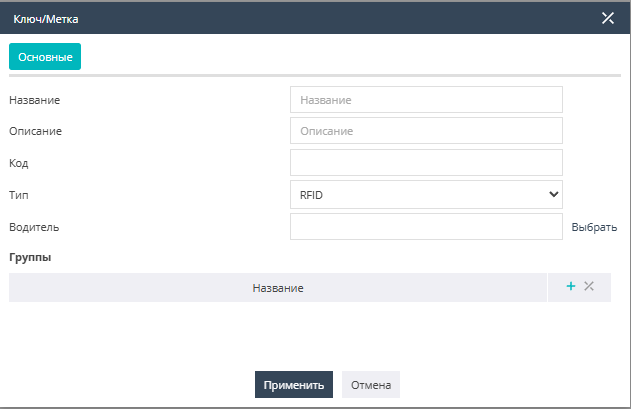
- In the "General" window that opens, specify the necessary information about the key (name, description, code, key type (iButton, RFID)), and also select, from those available to the user, the driver to whom this key will be assigned.
- If necessary, select a group for the key.
- Then you need to click the "Apply" button, and the created key/tag will appear in the list in the center of the screen.