Drivers
This section is intended for configuring the Drivers functionality. Using driver tag readers and assigning personal tags/keys to drivers expands the capabilities of the monitoring system and allows working with objects not only in terms of vehicle statistics, but also of its drivers. When filling in the Drivers section (together with Keys and tags), the system allows you to obtain an assessment of driving quality and work statistics for each driver.
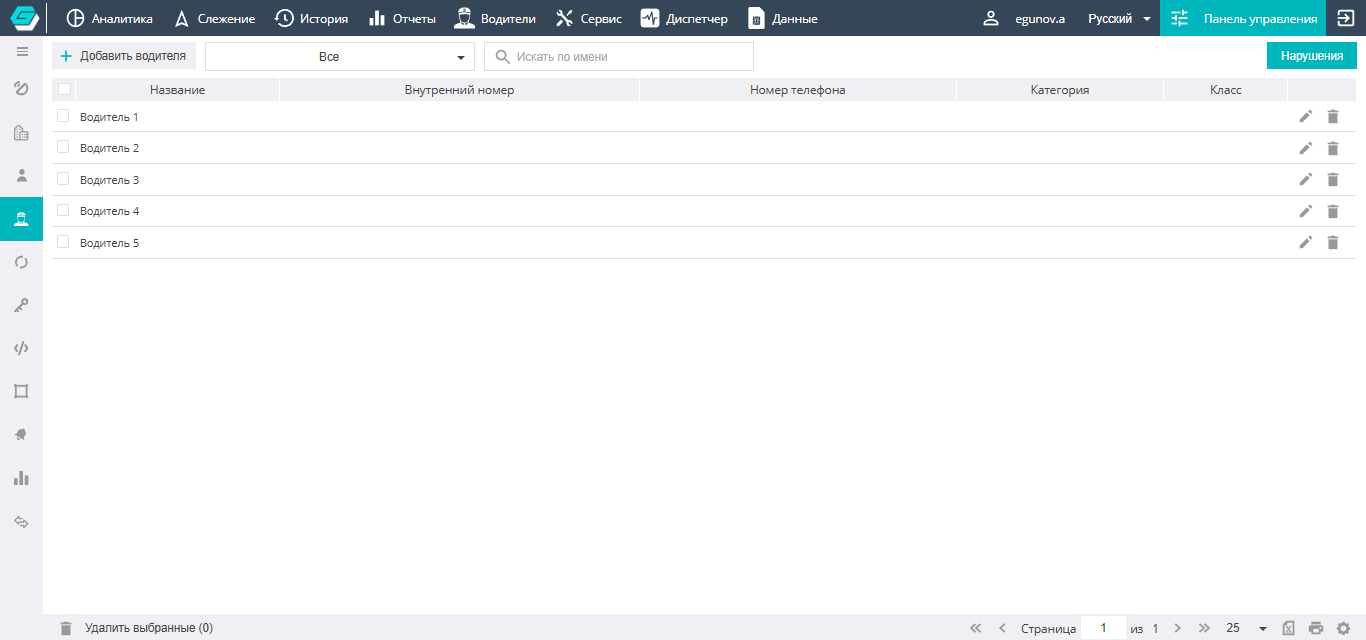
The Drivers section displays a list of the drivers entered into the system. To simplify searching for drivers, a filter by name or group can be applied to them.
Adding a new driver to the system

To add a driver to the system, you need to click the icon and, in the window that opens, enter all the necessary data for the person.
Also, it is precisely in the driver card, when adding them to the system or during further editing, that they are distributed into groups and keys and tags are bound to a specific person. Each driver can have several keys previously created in the section.
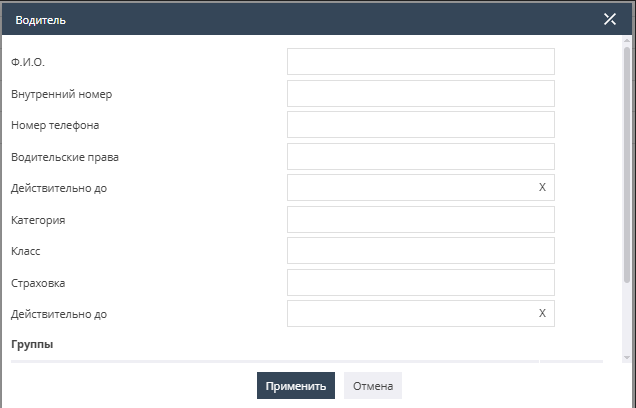
Finally, you should click the Apply button, and the driver will appear in the general list.

To the right of the driver there are icons that allow you to edit and delete the selected driver.
Driver rating
The GALAKTIKA system has a driver penalty system. It allows tracking various violations and assigning penalty points to a driver. Based on the penalty points, a driver rating is compiled. The fewer points a driver has, the higher their rating. Clicking the Violations button opens a window with the default penalty system.
The Violations tab is intended for configuring penalties for all types of violations, as well as the minimum duration of the violations taken into account. There is an option to choose whether to penalize the driver for each instance of a violation or for its duration. The user can change the number of penalty points for a violation at their discretion.
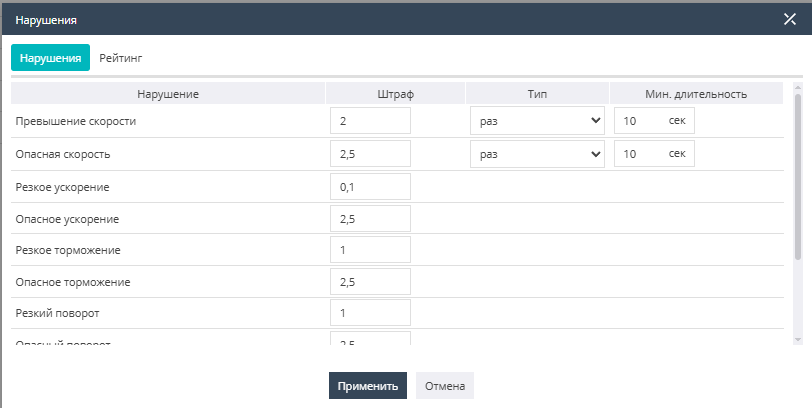
Speeding and Dangerous speed — define speeding and significant speeding, allowing you to configure penalty points.
Harsh acceleration, dangerous acceleration, harsh braking, dangerous braking, harsh turn, and dangerous turn, by analogy with the speed penalties, allow you to configure points for critical maneuvers.
There is also an option to penalize the driver for the vehicle idling for a long time, driving with the headlights off, and driving without the seat belt fastened.
The Rating tab provides the ability to configure the gradation of the driver rating. The rating calculation depth determines the time period over which the rating will be calculated.
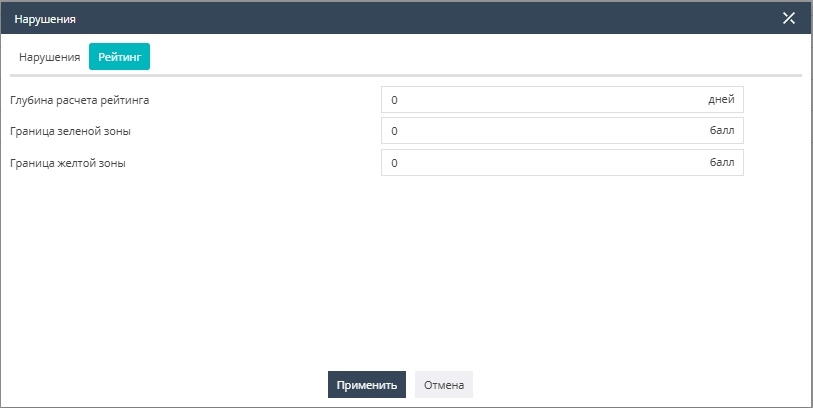
The green zone and yellow zone indicate the driver's place in the user's overall list of drivers according to their rating. The green zone includes drivers with the highest rating. Depending on the zone, drivers will be highlighted with the corresponding color on the Drivers tab of the top bar of the GALAKTIKA system interface. Drivers whose number of penalty points exceeds the maximum allowed in the yellow zone fall into the red zone with the lowest rating and will be highlighted in red.
Driving style
This tab is intended for configuring the Driving style for drivers and setting parameters for speeding and harsh maneuvers. Based on these parameters, penalty points for violations will be calculated for drivers.
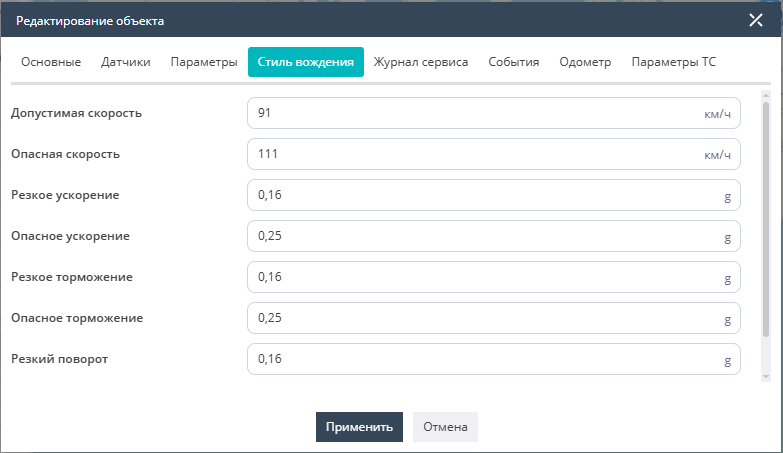
It should be noted that the parameter settings must differ for passenger cars, passenger transport and freight transport.
When importing an object or only object settings from wlp-format files, the already configured driving style (driving quality) parameters will be automatically applied in the Driving style subsection.