Companies
A company is a global system element designed to build a hierarchy of Users across different divisions of a single organization, to manage Users in separate organizations, to administer an integrator's objects and users, and to differentiate access rights to objects among Users in the system. A company contains objects, geozones, other companies, and its own settings.
A company has two statuses: Active or Blocked.
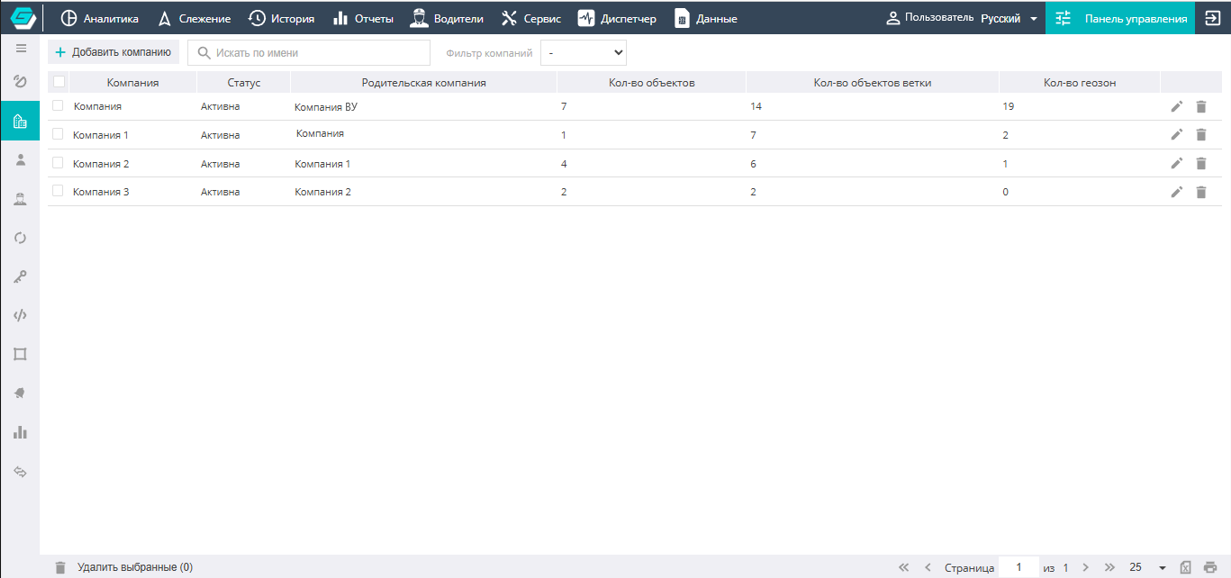
The rights to create, edit, and delete Companies are available only to users with the Integrator role.
Adding a new company

To create a new company, go to the Add company interface and fill in the existing fields in the form.
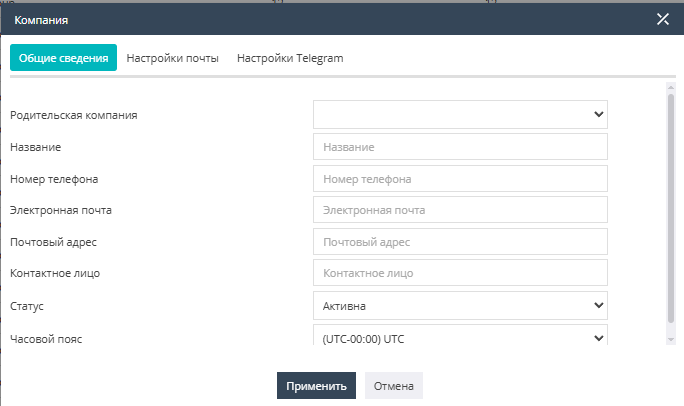
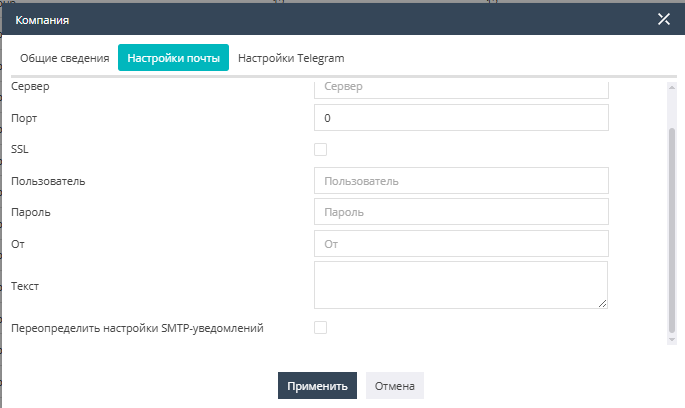
In the Mail settings subsection, you set the parameters for sending email messages from the organization's address (domain).
In the Telegram settings subsection, you can link a Telegram bot to receive messages in the messenger about events and alarms occurring with objects. To do this, you need to enter the token of the channel to which notifications will be sent. The token (a long string of letters and digits) can be obtained using various open tools for working with Telegram.

After specifying a new token, you need to tick the Override Telegram notification settings checkbox to update the settings.
Editing a company
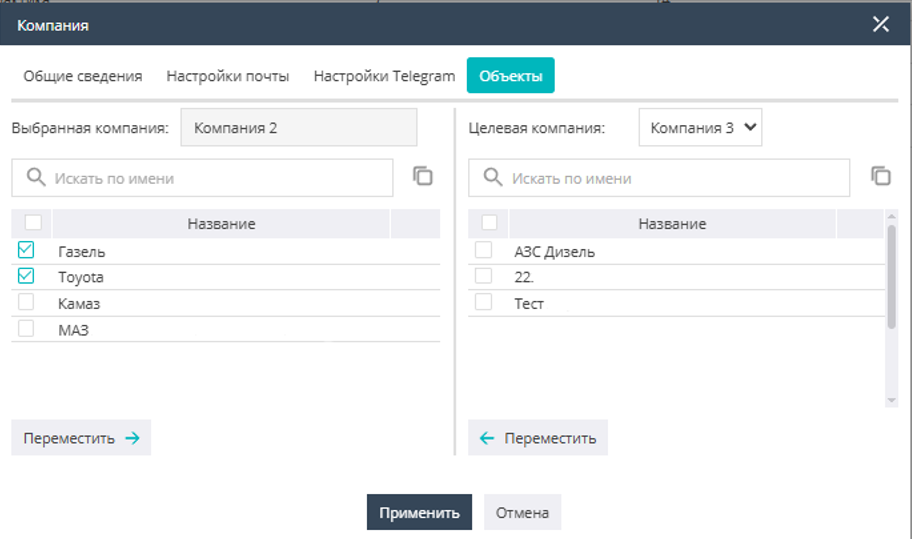
When editing a Company, the User has the ability to move objects between their own Company and subordinate (lower-level) Companies.
When working with Companies in the Control Panel, you can view all companies available to the user, or, by applying the Company filter, select a specific company and work with it.


A Company is deleted using the trash icon  located on the right side of the screen opposite the Company name, or by selecting one or more companies with checkboxes
  and clicking the Delete selected command at the bottom of the screen.