Service hierarchy
Using the Companies tool, system administrators have the ability to configure the necessary hierarchy and access to objects.
A correct hierarchy of Users and Companies within an organization will allow working in the monitoring system quickly and efficiently, avoiding object management errors.
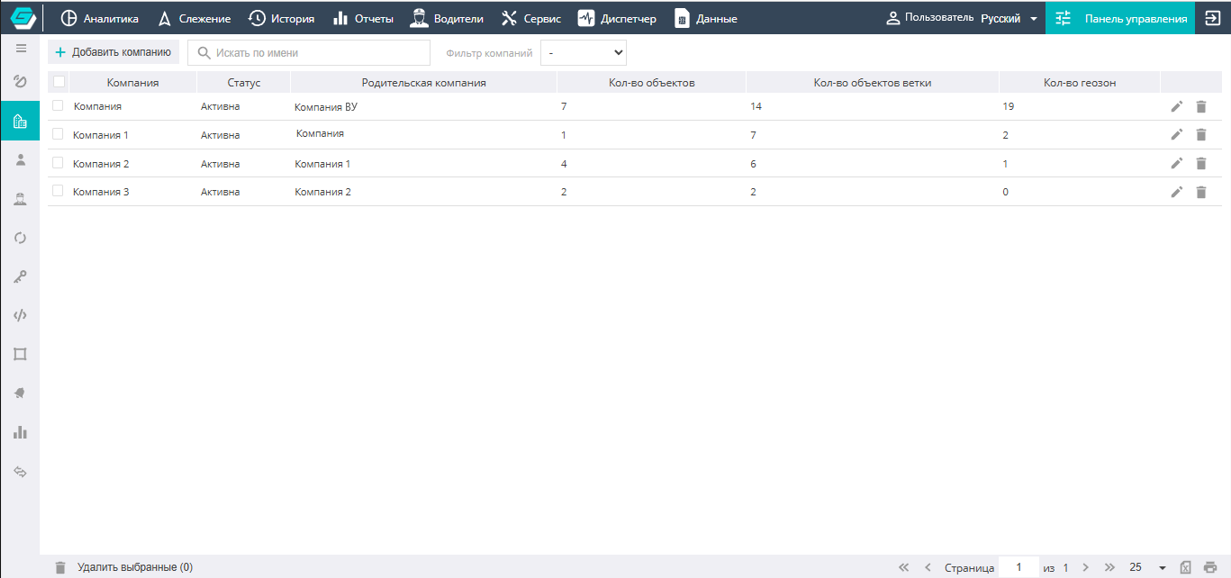
The User's role and their access rights depend on the tasks they perform in the system.
In GALAKTIKA there are two types of User rights that affect the hierarchy:
- User-Integrator (performs system administration and all settings),
- User-Client (implements the goal of monitoring objects).
Users work in the system in accordance with their rights.
The ability to create, edit, or show/move objects between Companies and Users is available only to users with Integrator rights.
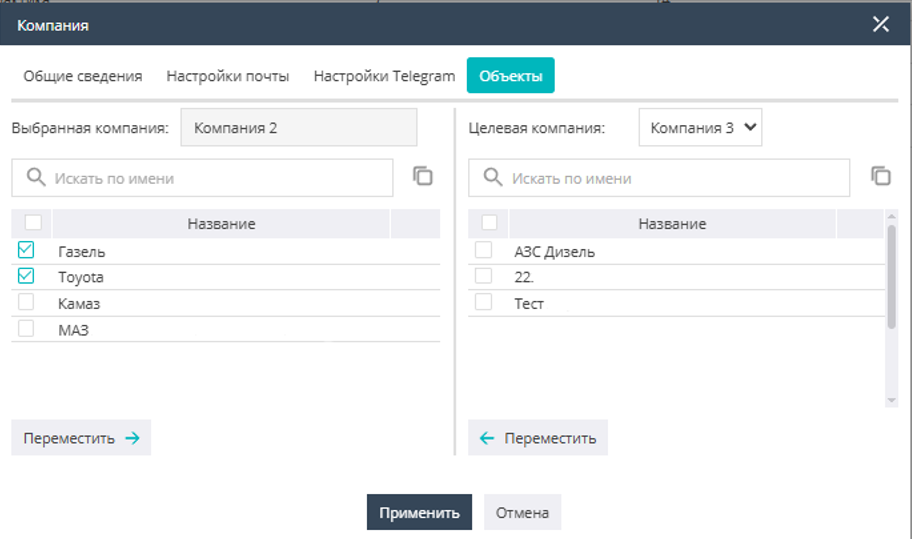
When the service administrator configures the placement of objects for a Company, it is possible to move objects between companies and edit their owner.
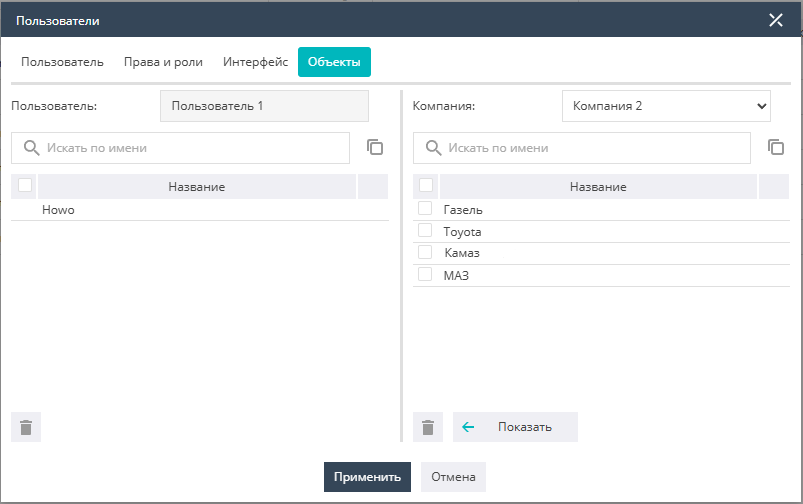
When the service administrator configures the hierarchy of Users located in a Company, it is possible to grant permission to view objects to the necessary user (with the access rights defined for them).