Report types
Summary report
This is a report that reflects overall readings for the main parameters of the objects in the system: mileage, fuel consumption per 100 km, average fuel consumption per 1 hour, the time an object spent in motion or idling, the number of engine hours worked, and parking time.

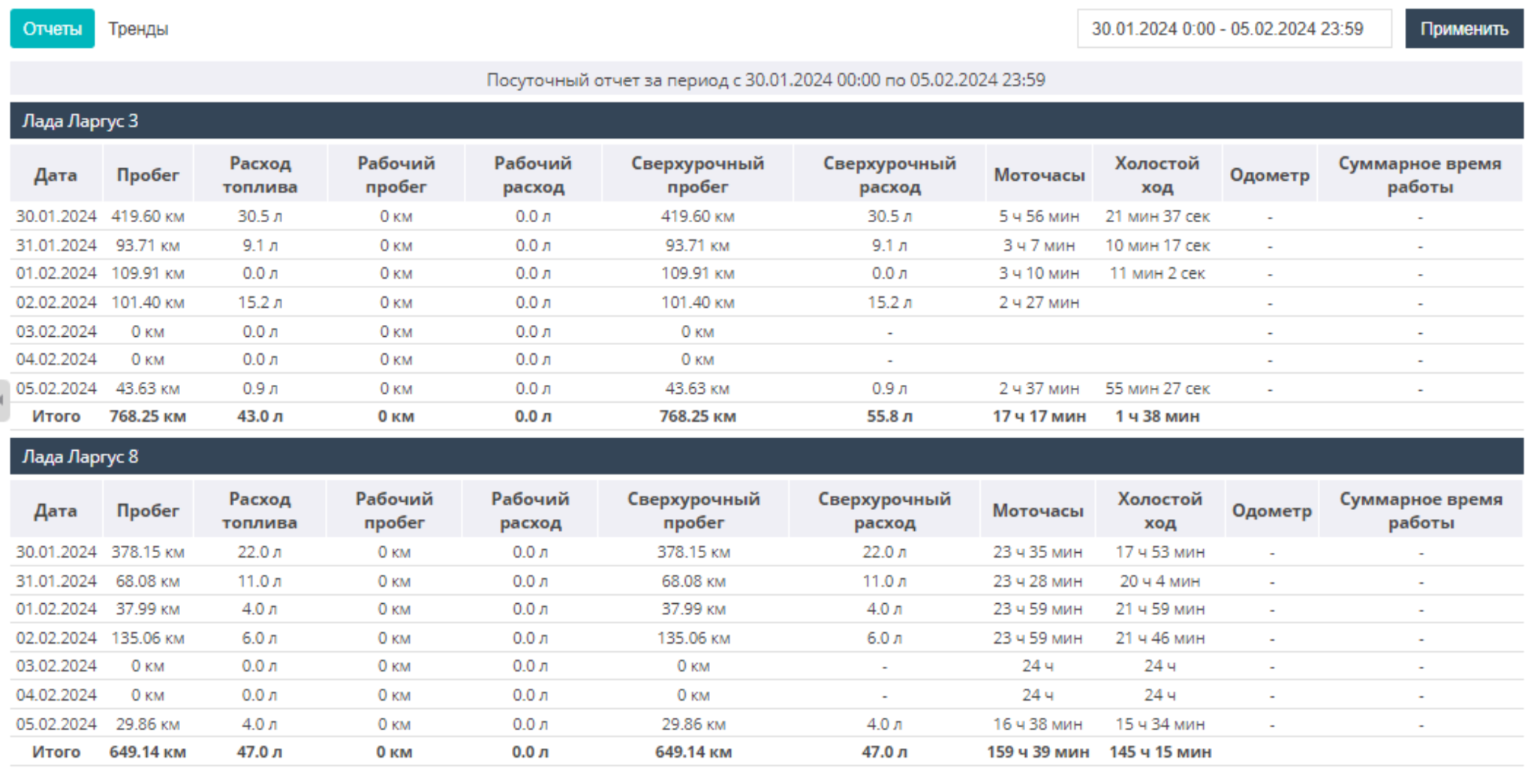
Daily report
This is a report for each day of the selected period that presents various information such as: mileage, fuel consumption, mileage during the work shift and overtime mileage, engine hours, idle running, odometer readings, etc.
In the report settings you can sort the output data by shifts.
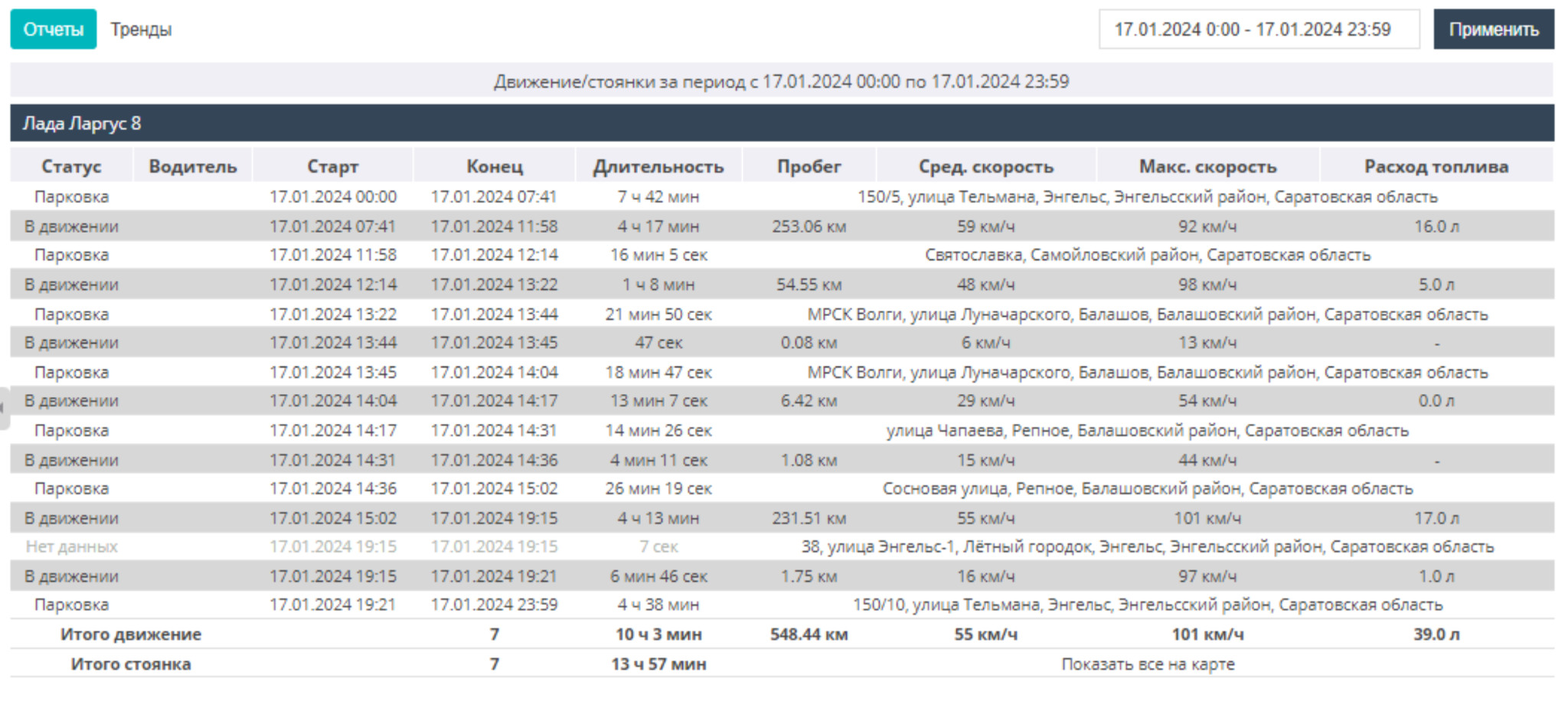
Movement/Stops
This is a report showing a list of intervals: object movements and stops with brief statistics. At the end of the report, total values are calculated for each object — when the object was in motion and when it was stationary, as well as other metrics (mileage, speed, fuel consumed).
In the report settings you can specify the minimum parking time, as well as the minimum movement time of the objects displayed in the report.
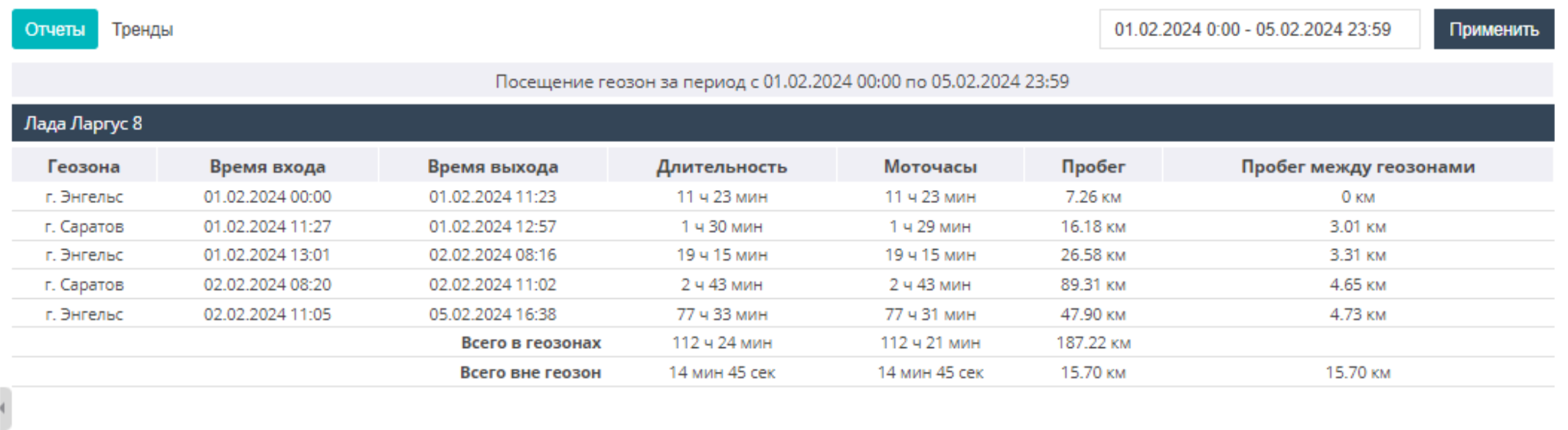
Geozone visits
This is a report on the geozones visited by an object. If the object has not visited any geozones, the report is displayed empty. In the report settings you can filter the geozones to be shown and set the minimum visit time.
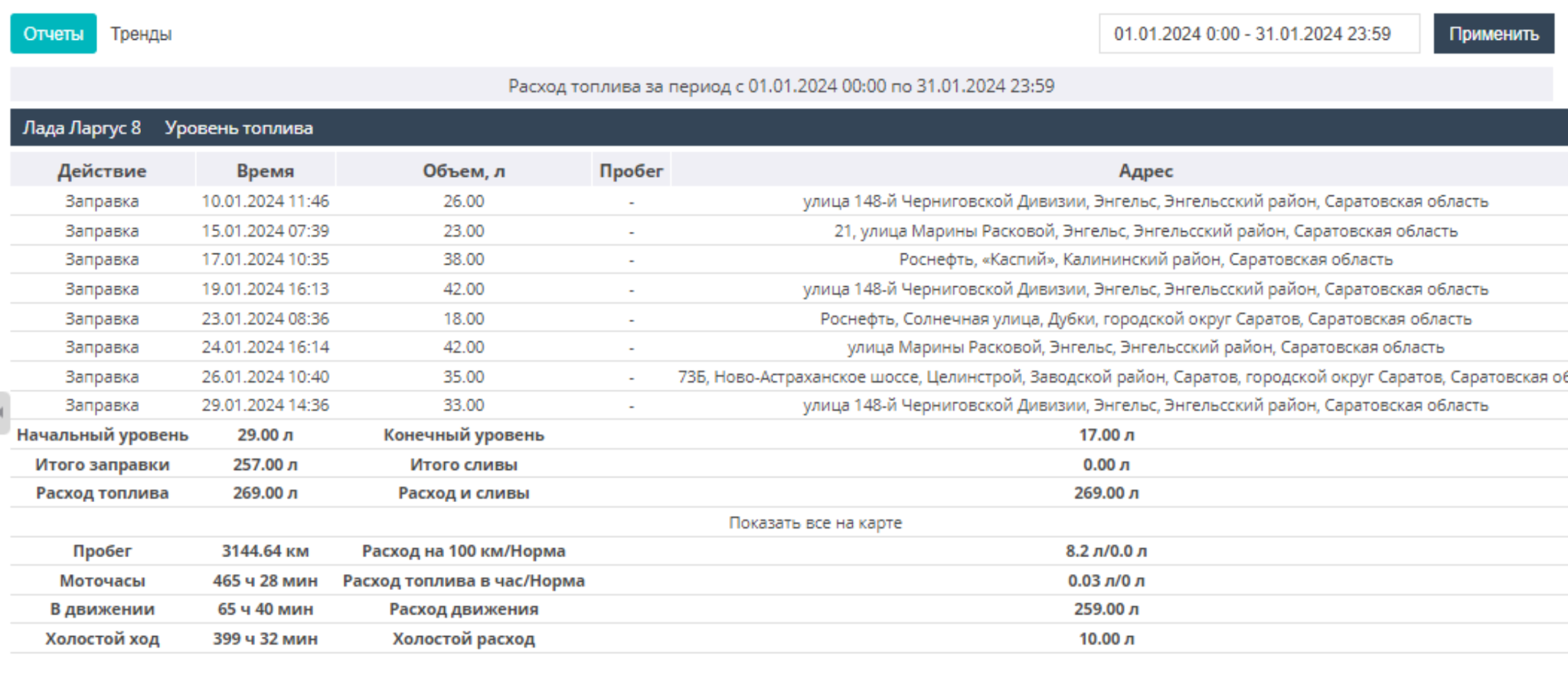
Fuel consumption
This is a report displaying data on refuelings/drains, the initial/final fuel level, mileage, engine hours (engine operating time), as well as map locations and addresses of refuelings or drains. Generating this type of report is only possible if a fuel level sensor is installed on the object. In the settings you can sort to show only refuelings or only drains, as well as show not only confirmed but also possible drains.
Operating time
This is a report showing the start/end time of equipment operation (engine, crane, drilling rig, etc.), and also indicating the address where the object is located.
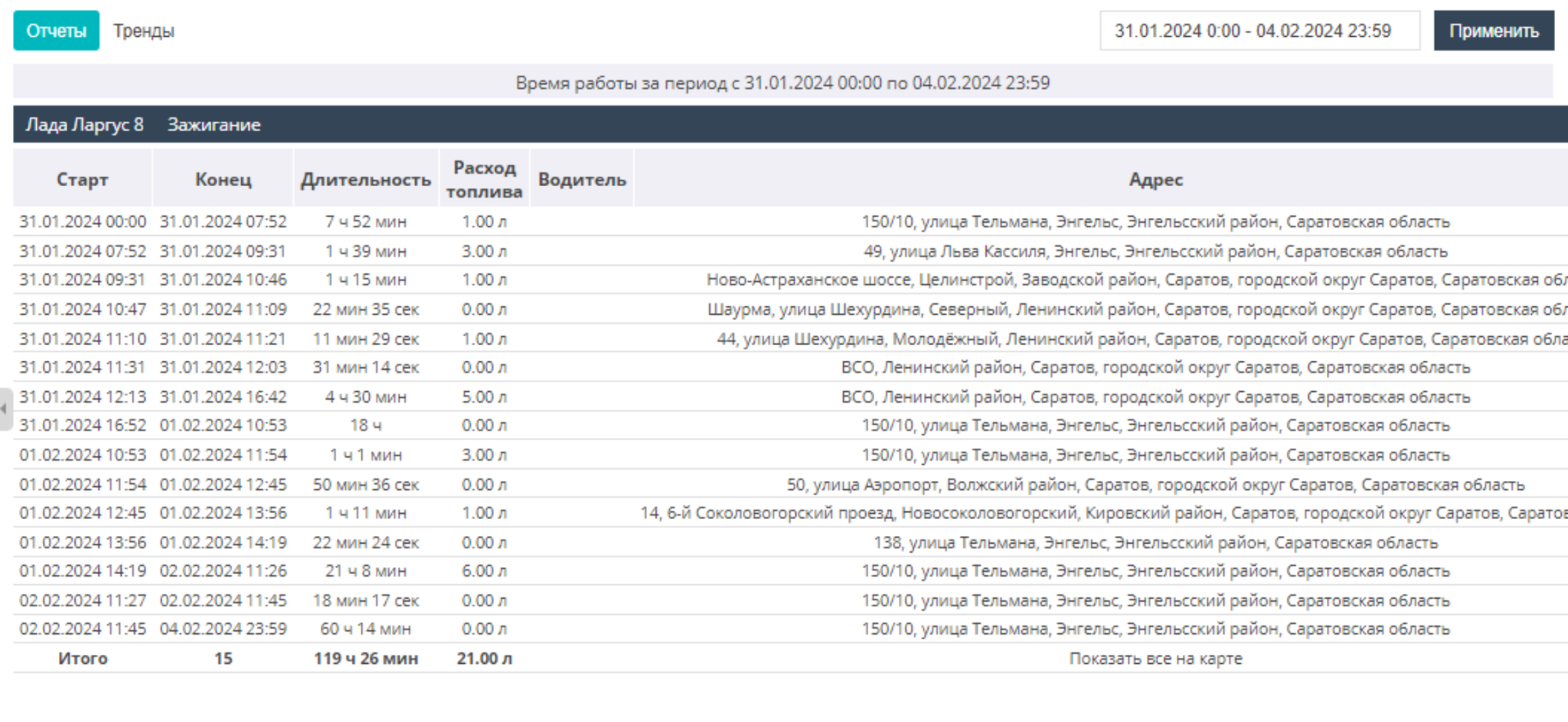
Idle operation
This is a report showing the start/end time of idle engine operation, and also indicating the address where the object is located. To create the report, you need to configure an equipment state sensor. There is an option to display in the report only idle operation within geozones, or only outside geozones, as well as the minimum operation duration.
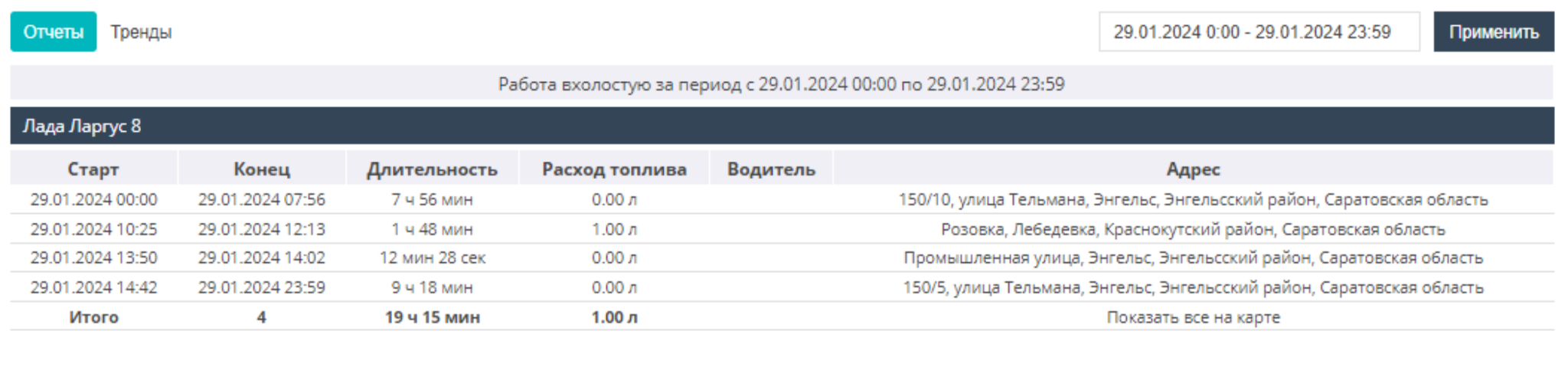
Vehicle downtime
This is a report showing vehicle downtime. To create the report, you need to configure an equipment state sensor and configure shifts. In the report settings you can configure displaying in the report only downtime within geozones, or only outside geozones, as well as the minimum downtime duration. You can also sort the output data by shifts.
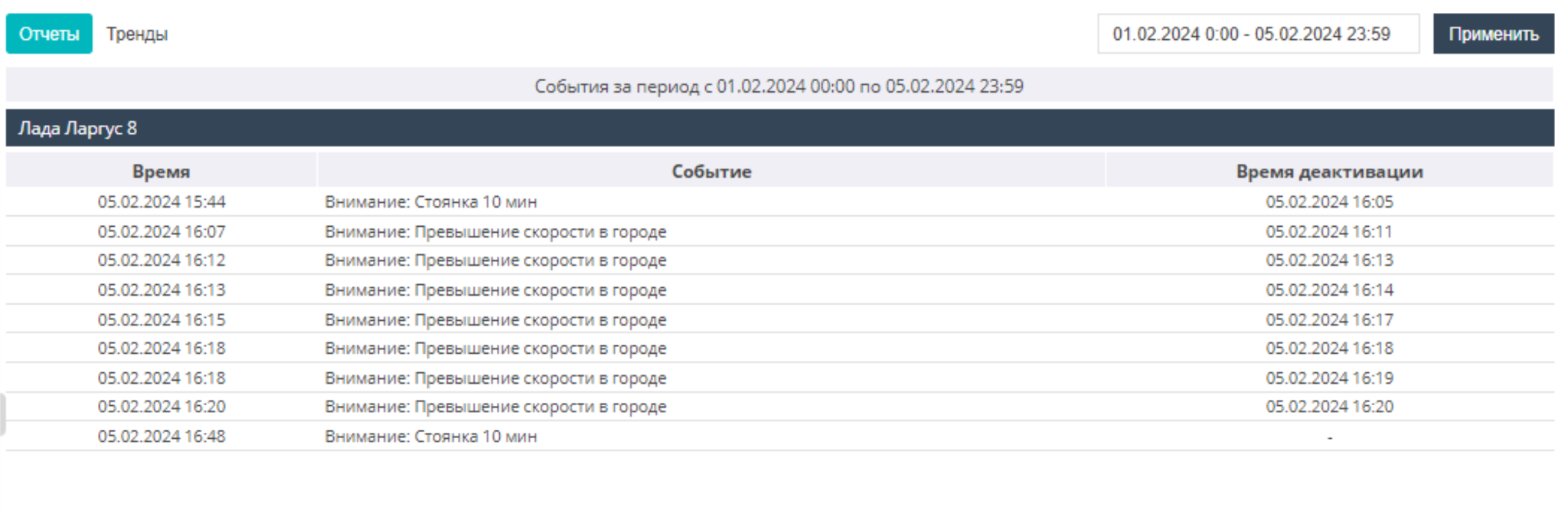
Events
This is a report on the events and alarms configured for objects, indicating the time of their activation and deactivation.
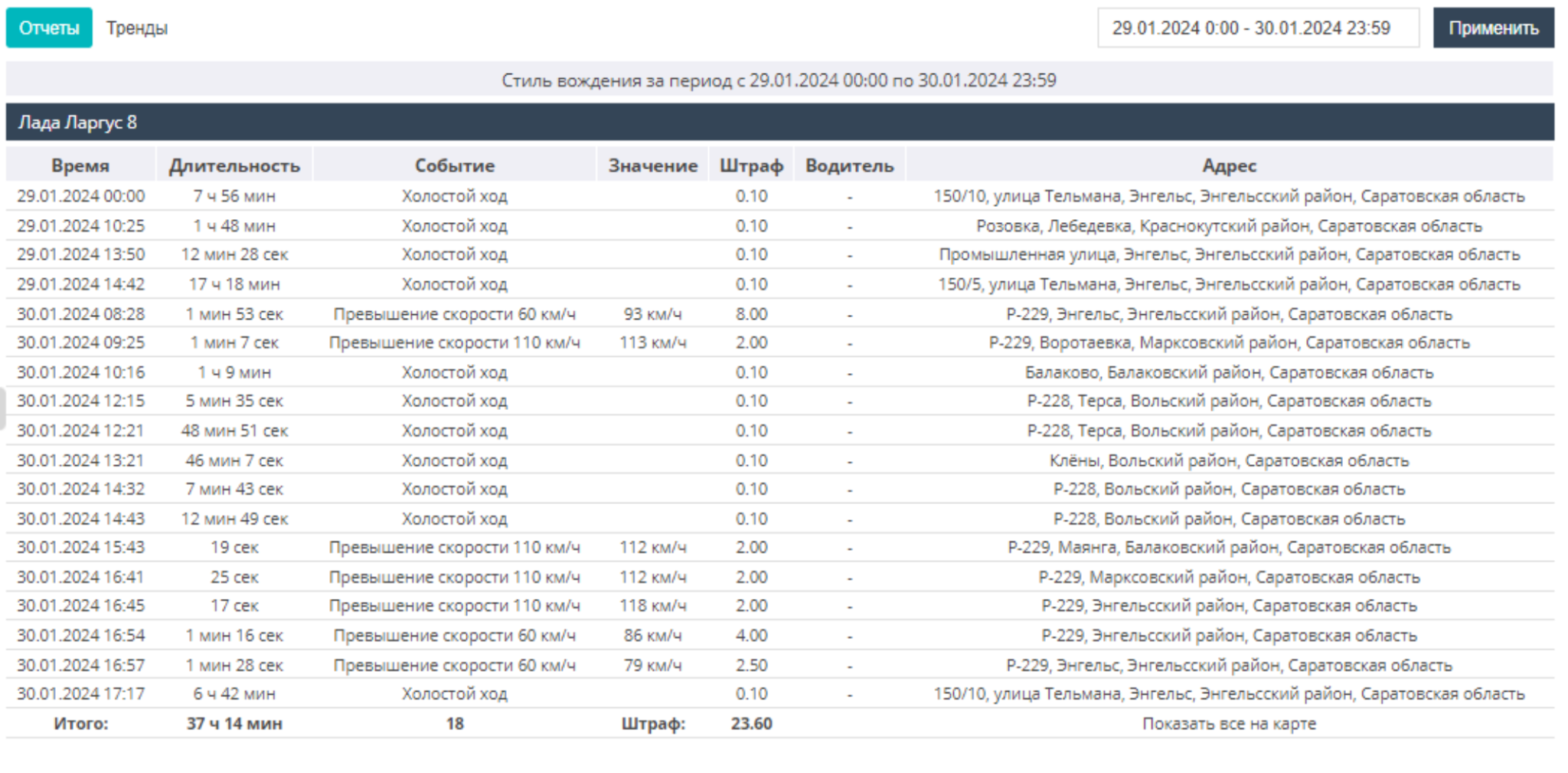
Driving style
This is a report indicating data on which driver committed a violation at which moment in time and at which address, for example: speeding, harsh acceleration/braking. This report also displays information about the object idling. In the settings there is an option to filter the information by violation type, set the maximum allowed speed, and also display the report by objects or by drivers.
Driver report
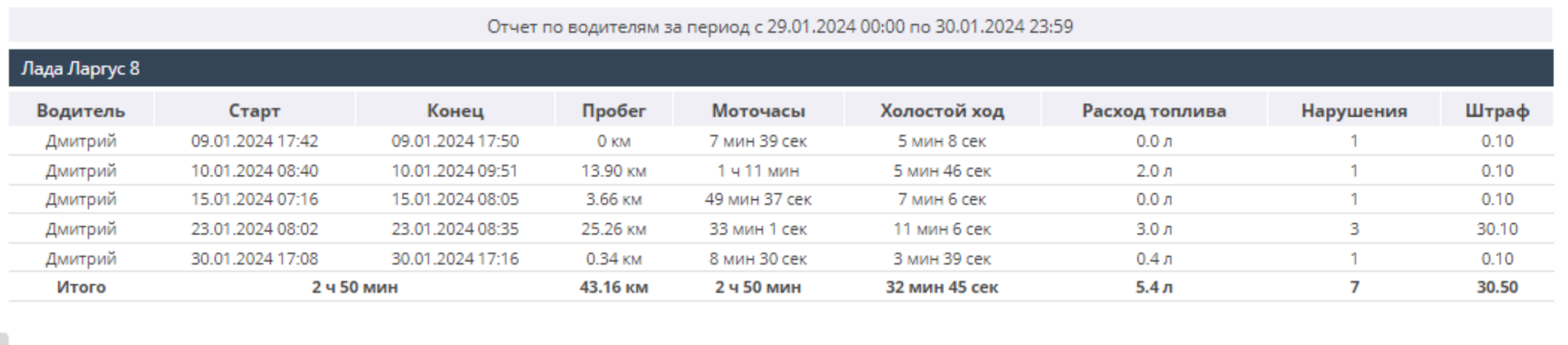
This is a report displaying data on drivers, namely: movement start/end, mileage data, engine hours, fuel consumption, as well as the number of violations with fines indicated. The report is generated only if the driver has a configured key. In the report settings you can set the minimum operating time, as well as sort the output data by objects or drivers.
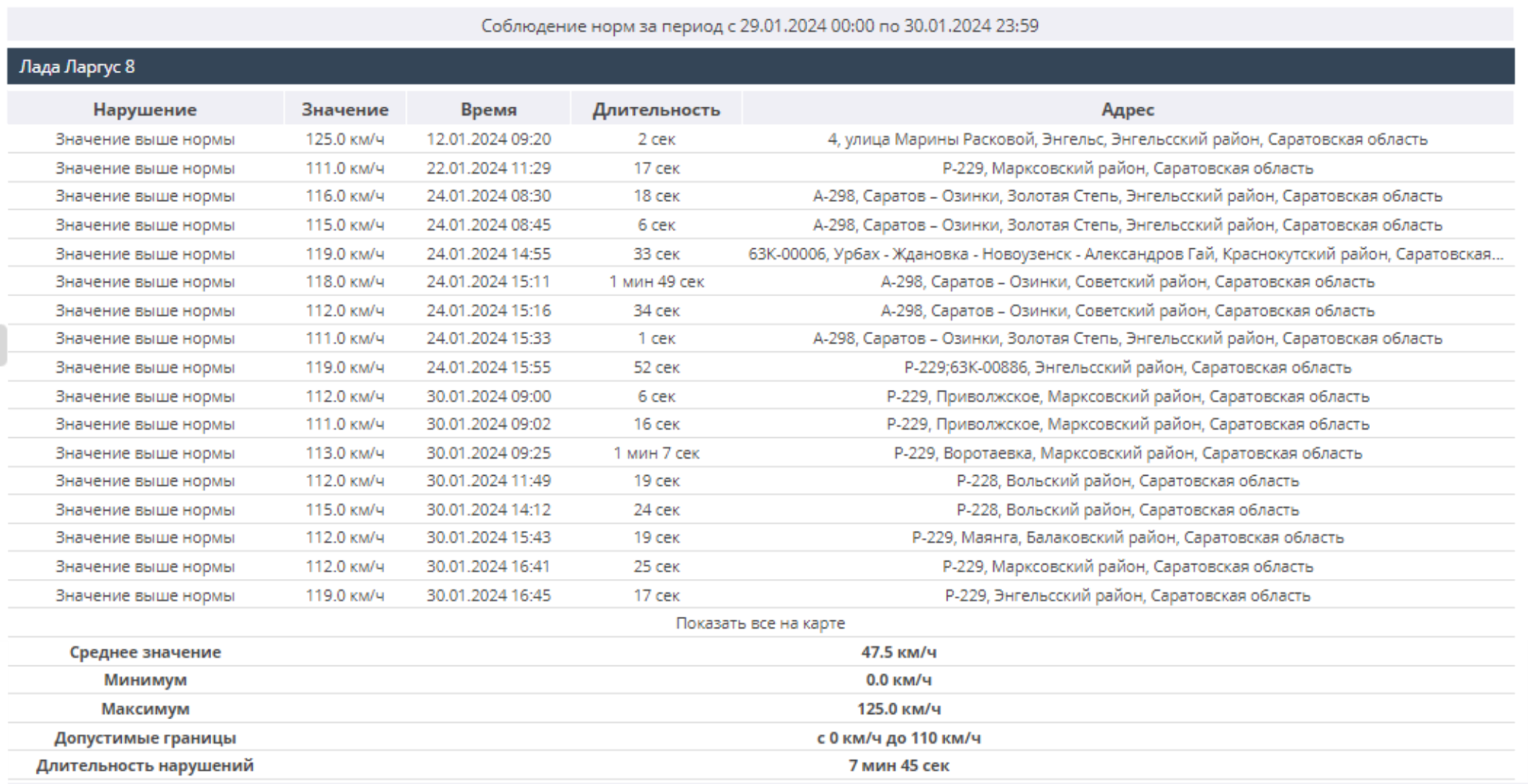
Compliance
This is a report on the object's compliance with or violation of the maximum permissible parameter values (refrigerator temperature, tire pressure, etc.) within a given range. To display the report, you need to set the permissible boundaries of the object's parameters in the sensor settings.
Counters/Flow meter
This is a report displaying data from instruments installed on the object (mileage / engine hour counters, flow meter, etc.).
To create the report, you need to configure a counter/flow meter sensor.
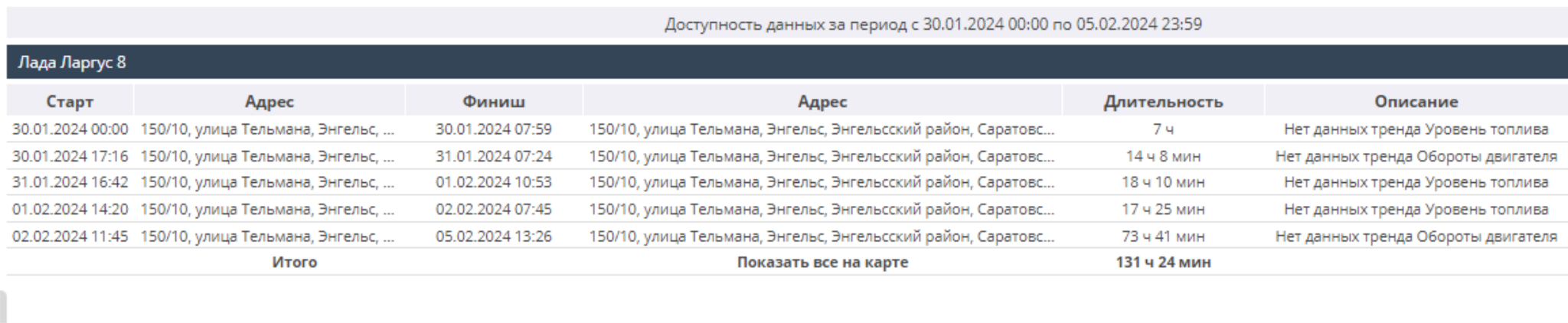
Data availability
The report is intended for analyzing the correctness of equipment installation and configuration, and for monitoring equipment. The report provides data on intervals of missing sensor data, locations, etc.
Street visits report
This is a report with information on the streets visited by a vehicle, including parameters such as the duration of passing the street, mileage along the street in km, average speed, and the start and end time of movement along the street.
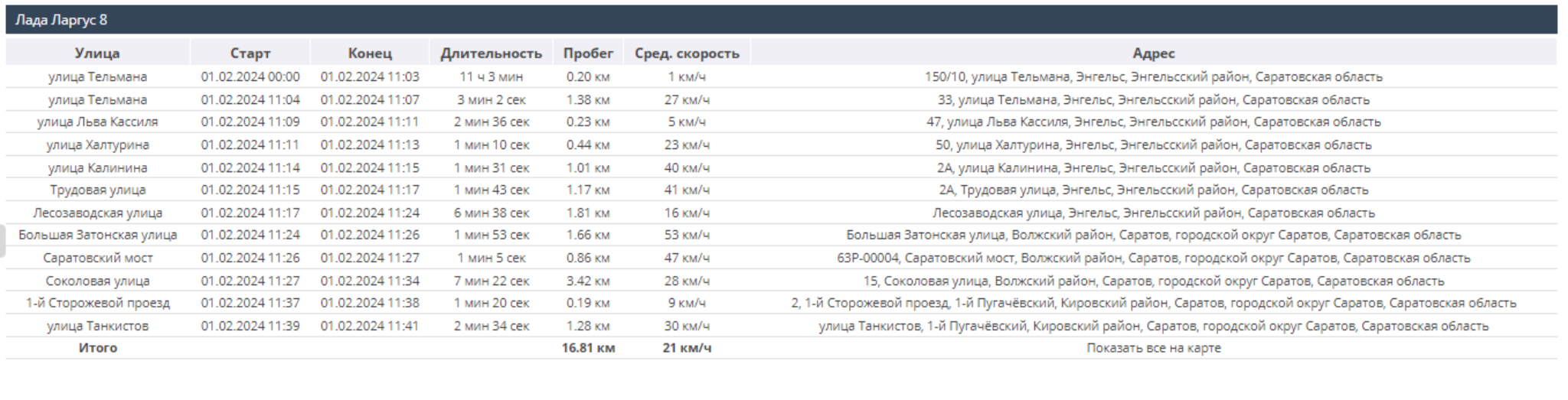
In the report settings you can set the minimum duration an object stays on a street.