Control Panel
All elements of the GALAKTIKA satellite monitoring software are managed through the Control Panel, which is accessed via the button on the right side of the top bar. The Control Panel is available to users with the User or Integrator access roles.
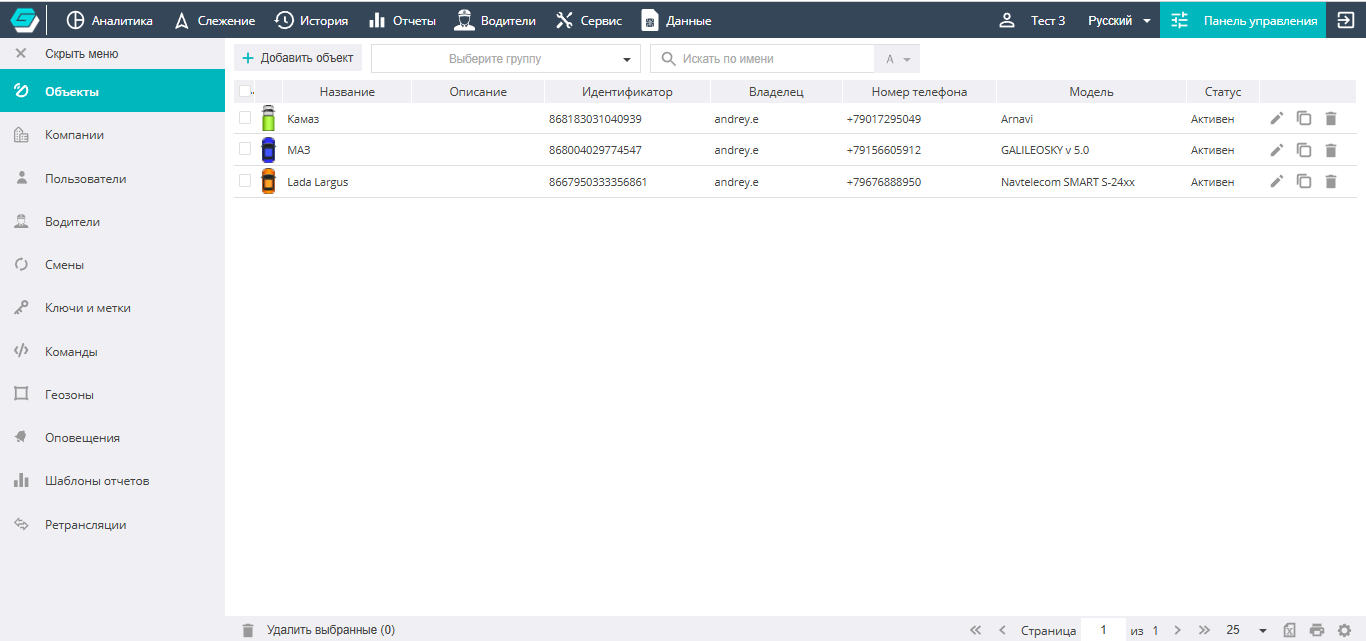
The Control Panel interface consists of two areas: the navigation menu on the left, used to switch between editors for the various system elements (objects, users, notifications, etc.), and the work area, which occupies the central space. The Control Panel work area displays a list of existing system elements along with buttons for editing them and adding new ones. For all lists, the editing and deletion of elements is also available (either in bulk or one at a time). To delete elements in bulk, first mark them in the list with checkboxes (the checkbox on the left of the element's row), and then click "Delete" at the very bottom of the list.
In addition, on some tabs (Objects, Users, and Geozones) the Settings icon is located at the bottom right; clicking it opens access to additional section functions, such as import, export, data, diagnostics, and more.
Structure
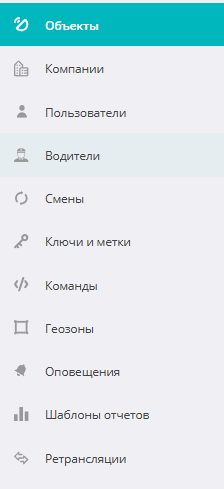
By default, the Control Panel opens on the Objects section tab. Using the navigation menu, you can switch to any of the following sections:
- Objects
- Companies
- Users
- Drivers
- Shifts
- Keys and tags
- Commands
- Geozones
- Notifications
- Report templates
- Relays
Let's take a closer look at each of them.