WMS map layers
As part of the system personalization, support for connecting the WMS (Web Map Service) protocol versions 1.1.1 and 1.3.0 has been implemented, including adding WMS layers by URL and selecting the displayed layers from the WMS server. At the same time, in the map selection options, the ability to display a WMS layer appears:
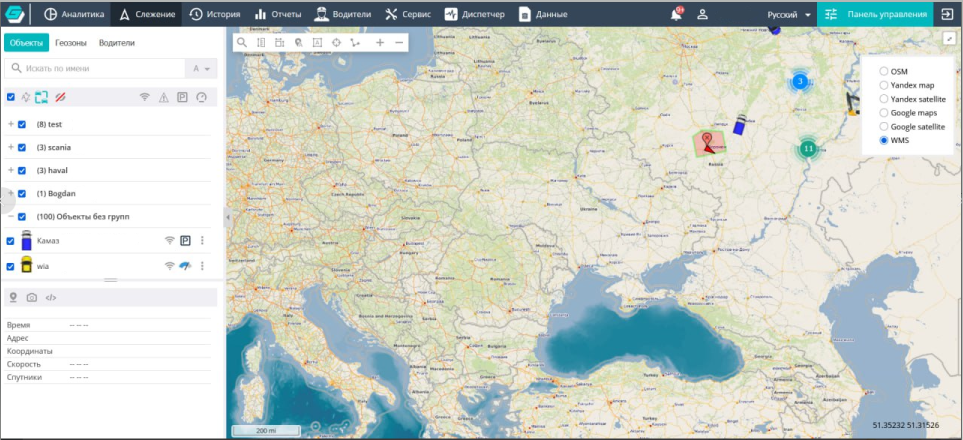
The tool allows creating dynamic maps based on geospatial data. To do this, the corresponding service is connected in the cartography settings of the Control Panel:
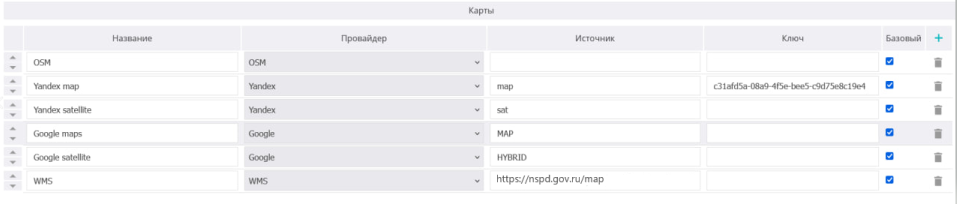
The interface for working with WMS sources provides:
- adding a WMS layer by URL;
- entering connection parameters (including access keys);
- selecting one or more layers from the list provided by the WMS server;
- displaying WMS layers on top of the base map;
- managing the display order of maps and layers;
- enabling and disabling individual layers;
- configuring transparency.
The software performs correct display of WMS layers when working with: vehicle tracks, events tied to time and coordinates, geozones, and analytical elements displayed on the map.