Objects
This tab is designed to display the list of objects in the system. When working with objects, you have access to tools for searching (by name, IMEI/ID, SIM card number, device type), filtering, grouping, and displaying the object status. When an object is selected, more detailed information about it becomes available.
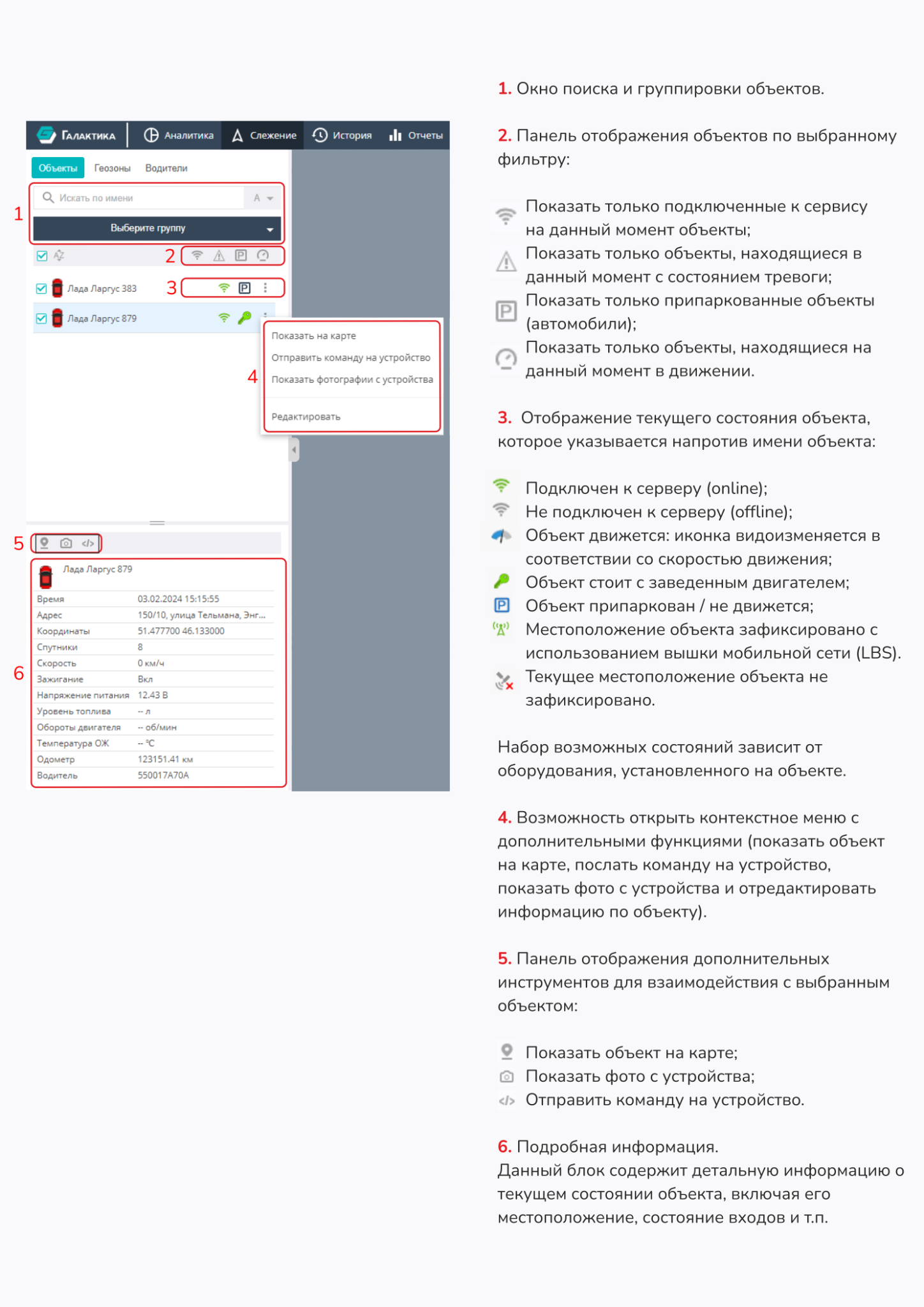
-
Object search box (by name, IMEI / ID, SIM card number, or device type).
-
Displaying objects as a single list or by groups.

-
Hide unselected items.