Map
The map occupies the right area of the Tracking section and shows the current position of objects and geozones. When you hover over an object, a tooltip with its name appears, and a click opens a popup window with details.
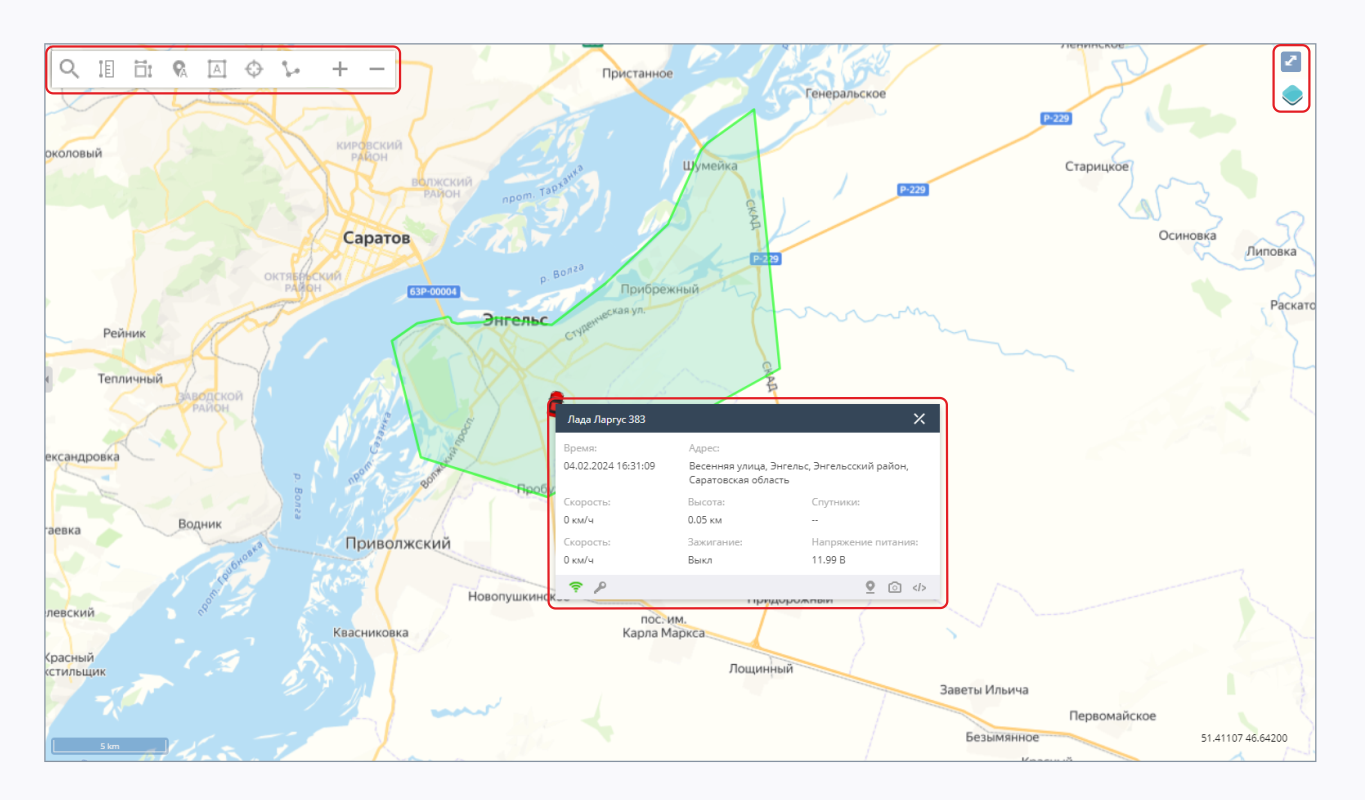
Toolbar
The main toolbar is located in the upper-left part of the map (each tool can be enabled independently):
 Search on the map — opens an additional search bar (see below);
 Distance measurement — measure the distance between points on the map;
 Area measurement — measure the area of an arbitrary section;
 Show object names — object labels directly on the map;
 Show geozone names — geozone labels on the map;
 Watch for selected — automatically keep the selected object within the map view as it moves;
 Show object tail — draw the track of the selected moving object for the last 2 minutes;
 Zoom — zoom the map in and out (the mouse wheel also works).
Search bar
The "Search on the map" button opens an additional panel:
- an address input box and a "Search" button — find a point on the map by address or POI name;
 Build a route — build a route along roads between two points with distance calculation;
 Point information — find out the address of any point: first select the tool, then click on the map.
Additional tools
In the upper-right corner of the map there are:
 Base map selection — the list of available maps is defined by the administrator and may include Google, Yandex, Bing, OSM, etc.;
 Expand the map to full screen.
Object popup window
Clicking on an object opens a window with its data:
- the object name in the header;
- the time of the last message and the address;
- a block with the current readings of the object and its sensors (speed, altitude, satellites, ignition, supply voltage, etc.).
At the bottom of the window there are quick-action buttons: open a report, show on the map, request a photo from the device, send a command to the device.
Events panel
The Events panel with the list of active alarms is located below the map. The border between the map and the panel can be dragged, and the panel itself can be collapsed to give all the space to the map.