Service tasks
This subsection displays information about planned object maintenance activities (tasks). It shows the task name, the object the task is to be performed on, the execution plan, the previous execution, the configured task recurrence, and its status.
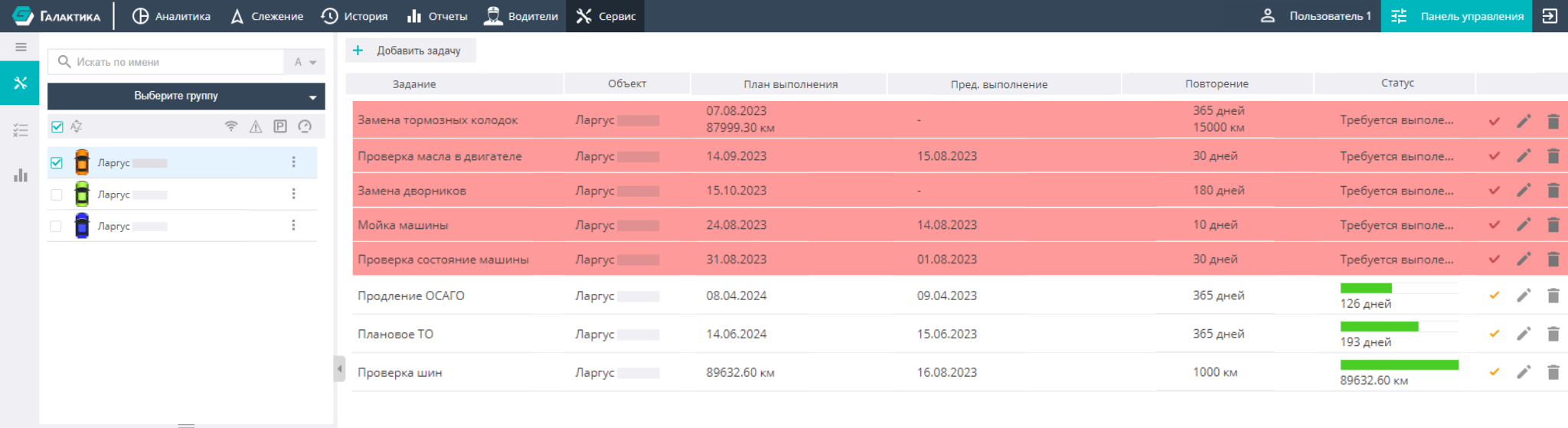
On the left side of the screen there is a window for searching, grouping, and filtering objects to work with.
In the task list, next to each task there are three icons:

To add a new task, select an object and click the icon.
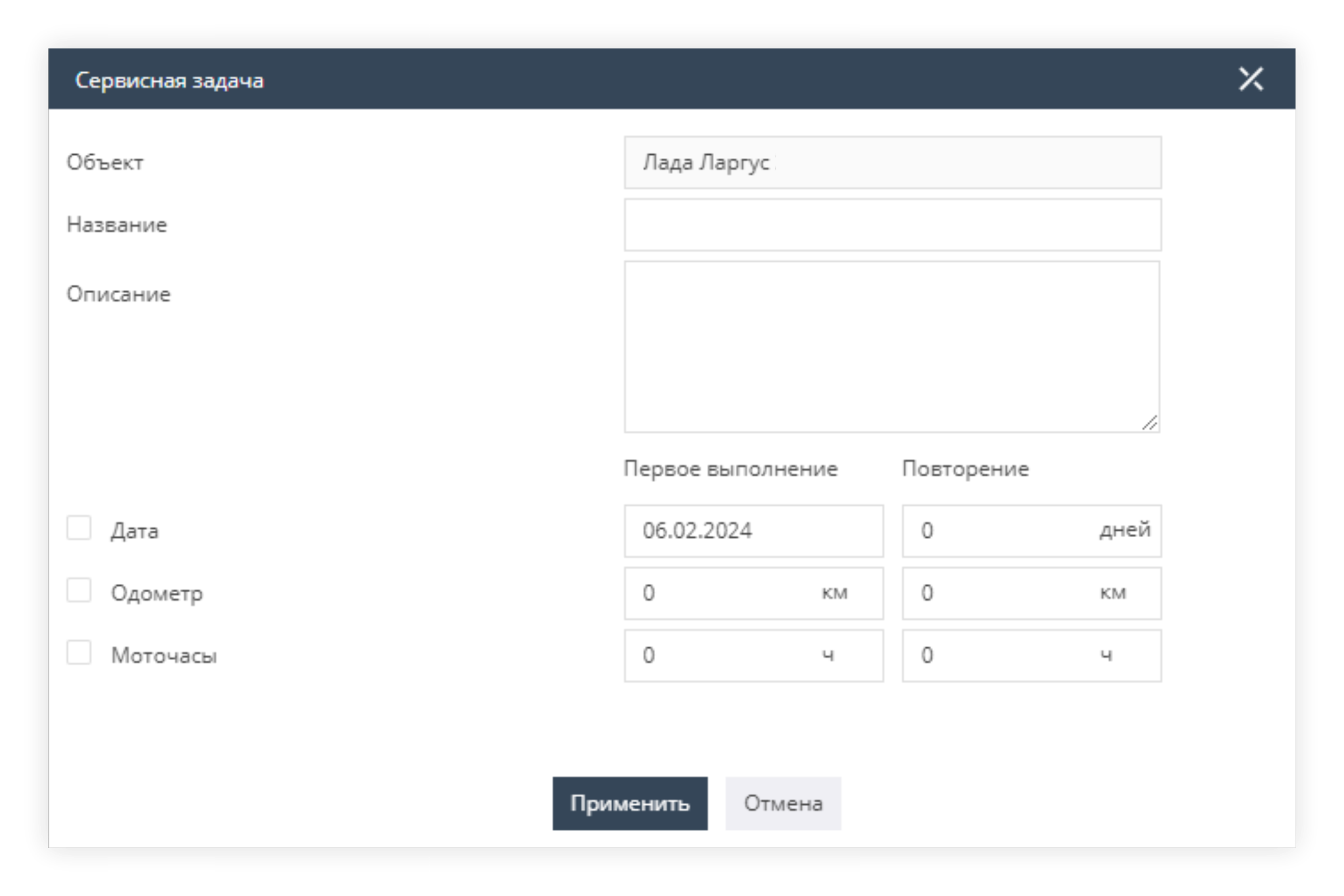
When you click this button, a window opens prompting you to specify the required task characteristics (name, description, execution dates, etc.).
The checkboxes let you activate the corresponding input fields (date, odometer, engine hours). You can use them to define the moment of the initial task execution and, if necessary, its recurrence. For example, in addition to directly specifying a particular date, you can specify that the first (and/or subsequent) execution of the task should occur when the odometer reading reaches a specified value or a specified number of engine hours is reached.
After a task is added, it is displayed on the screen in the general list.