Completed works
Unlike the previous one, the Completed works subsection is intended for tracking information about work that has already been performed. The following details about the work performed are entered here: type of work, the object on which it was performed, date of completion, service task, and cost of the work.
When creating a completed work in the dialog window, in the Service tasks subsection you can link the completed work to a previously created Service task.

In the completed works list, in the upper right corner of the screen, you can select the time range for which the information about completed works should be displayed.
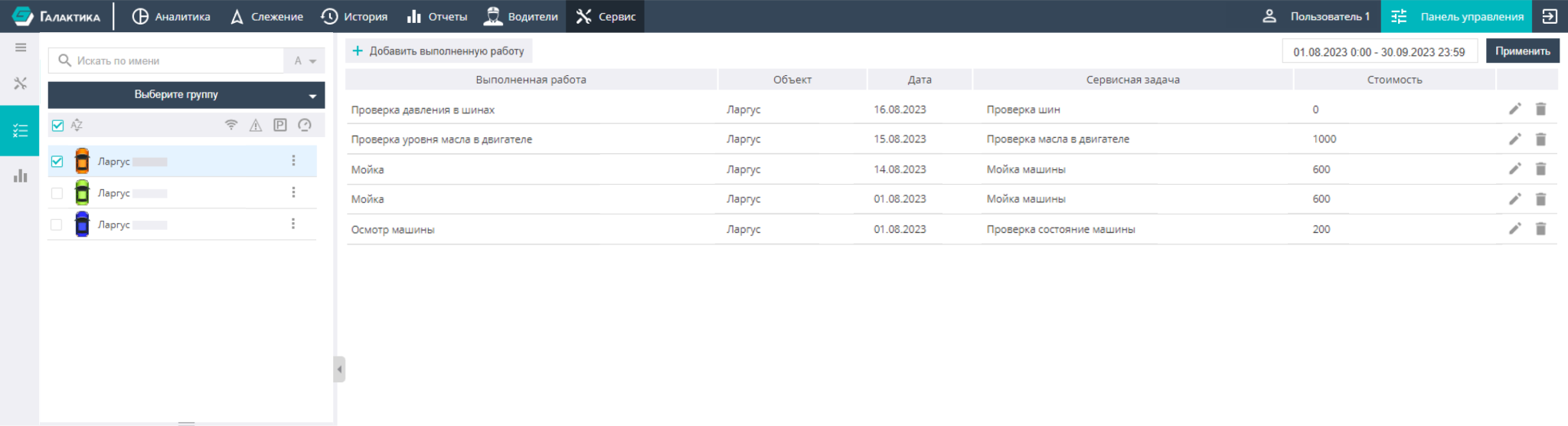
On the right there are icons that let you edit information about completed works or delete it. Also, as in the "Service tasks" subsection, there is a search and grouping window for the selected objects here, as well as a panel that displays objects according to the selected filter.
By clicking the corresponding icons in the lower right corner of the screen, you can hide empty columns or export the information shown on the screen to an MS Excel file.