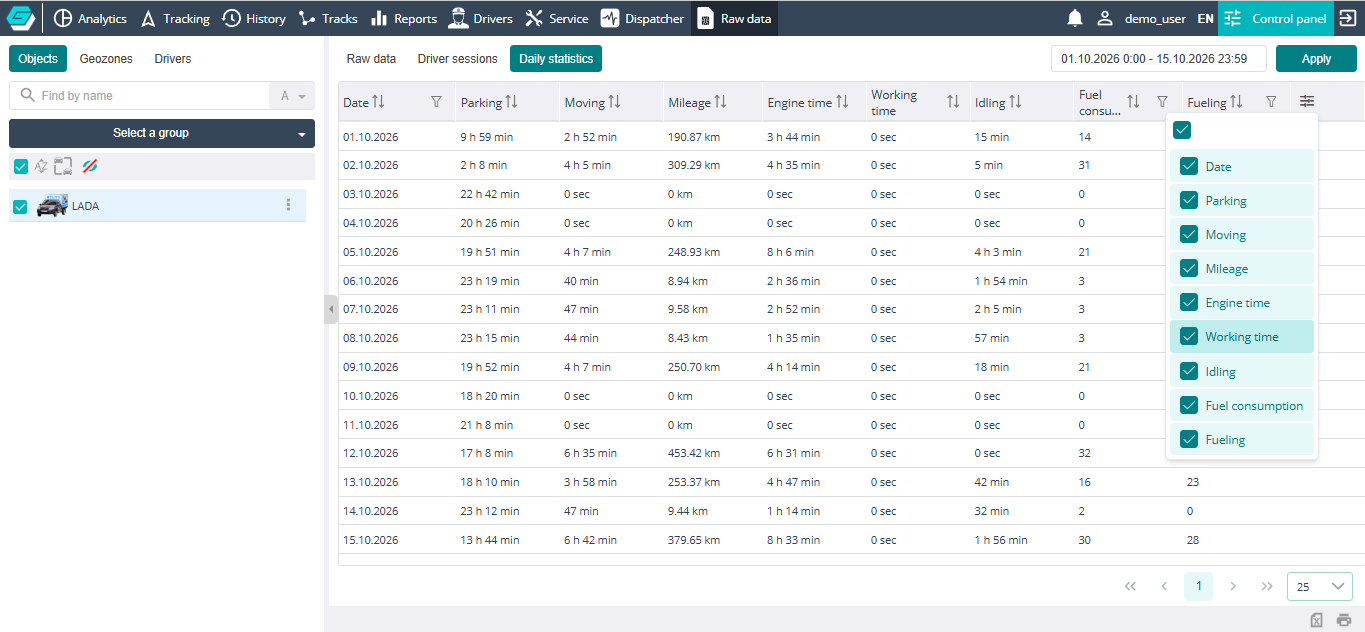
Daily statistics
The Daily statistics tab shows the figures of the highlighted object for the selected period, grouped by day: movement and parking time, mileage, engine and equipment operation, fuel consumption and refuelings. One row is one day.
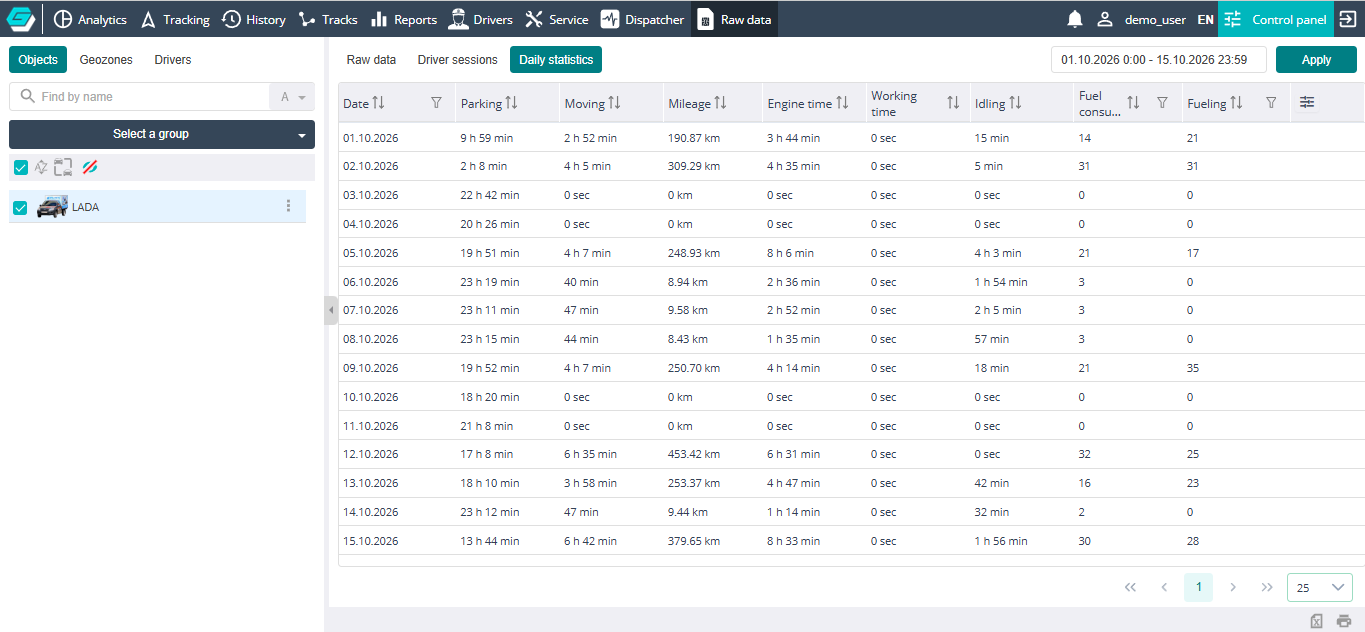
Table
- Date — the day the figures are calculated for;
- Parking — the total parking time for the day;
- Moving — the total movement time for the day;
- Mileage — the distance covered during the day;
- Engine time — the engine running time (engine hours) for the day;
- Working time — the operating time of the object's equipment (engine, crane, drilling rig, etc.) according to the configured operation sensor;
- Idling — the engine running time while idling;
- Fuel consumption — the fuel used during the day;
- Fueling — the volume refueled during the day.
The Date, Fuel consumption and Fueling columns have a filter. Sorting, filters, column selection and the footer are described in Working with the table. Rows cannot be deleted on this tab.