Reports
This subsection allows you to generate various reports on driver activity. The section interface is similar to the Reports section. A description of the available reports is provided below.
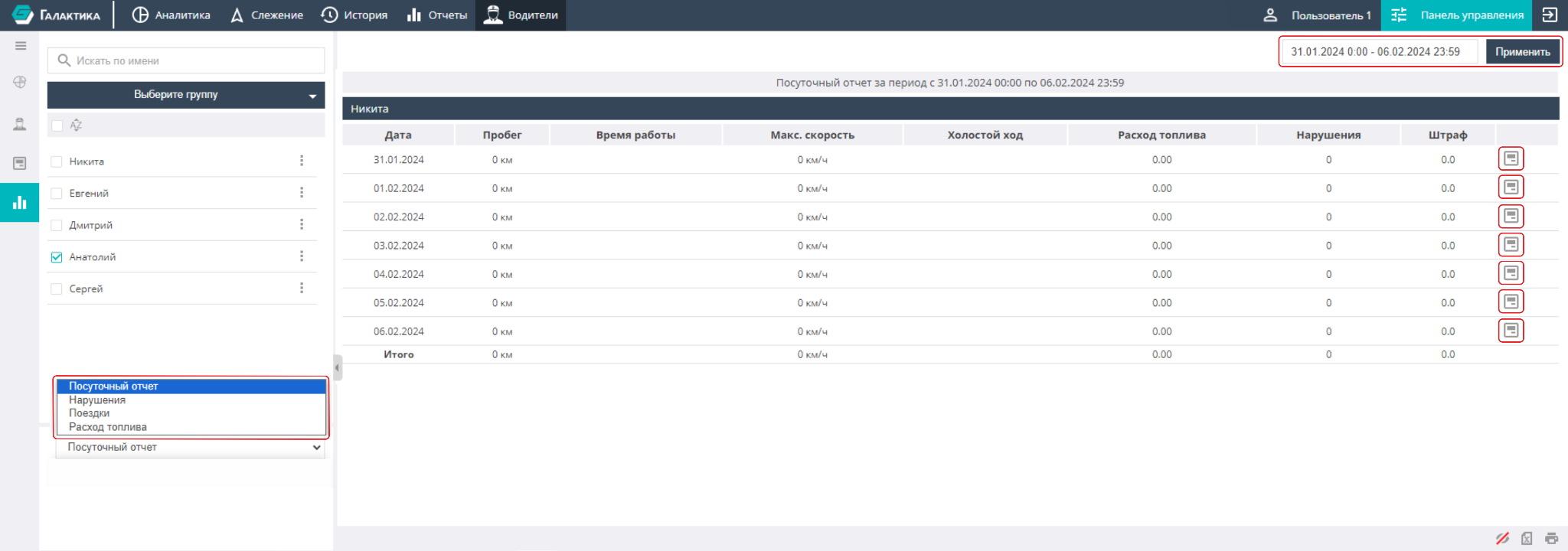
Daily report — the most complete report for each day of the selected period, containing information about mileage, operating time, the driver''s maximum speed, the time the object spent idling, and the driver''s violations and fines.
Clicking the icon to the right of a report row takes you to the Analytics subsection on the Track tab, where data for the selected period for that driver is shown.
Violations — a report containing detailed information about a driver''s violations. It lists specific types of violations (harsh driving, speeding, etc.), their total count, the penalty points charged, as well as operating time and mileage. The information in this report is also presented for each day of the selected period.
Trips — in this report the information duplicates the reports listed above, however here, among other things, the trip start and end time, the object name, and fuel consumption per 100 km/h are indicated.
Fuel consumption — a daily report containing information about mileage, the object''s operating time, its name, idling time, and fuel consumption (total and per 100 km/h).