User profile. Switching between users
Clicking on the name of the authorized user opens a window with two tabs: "Users" and "My profile".
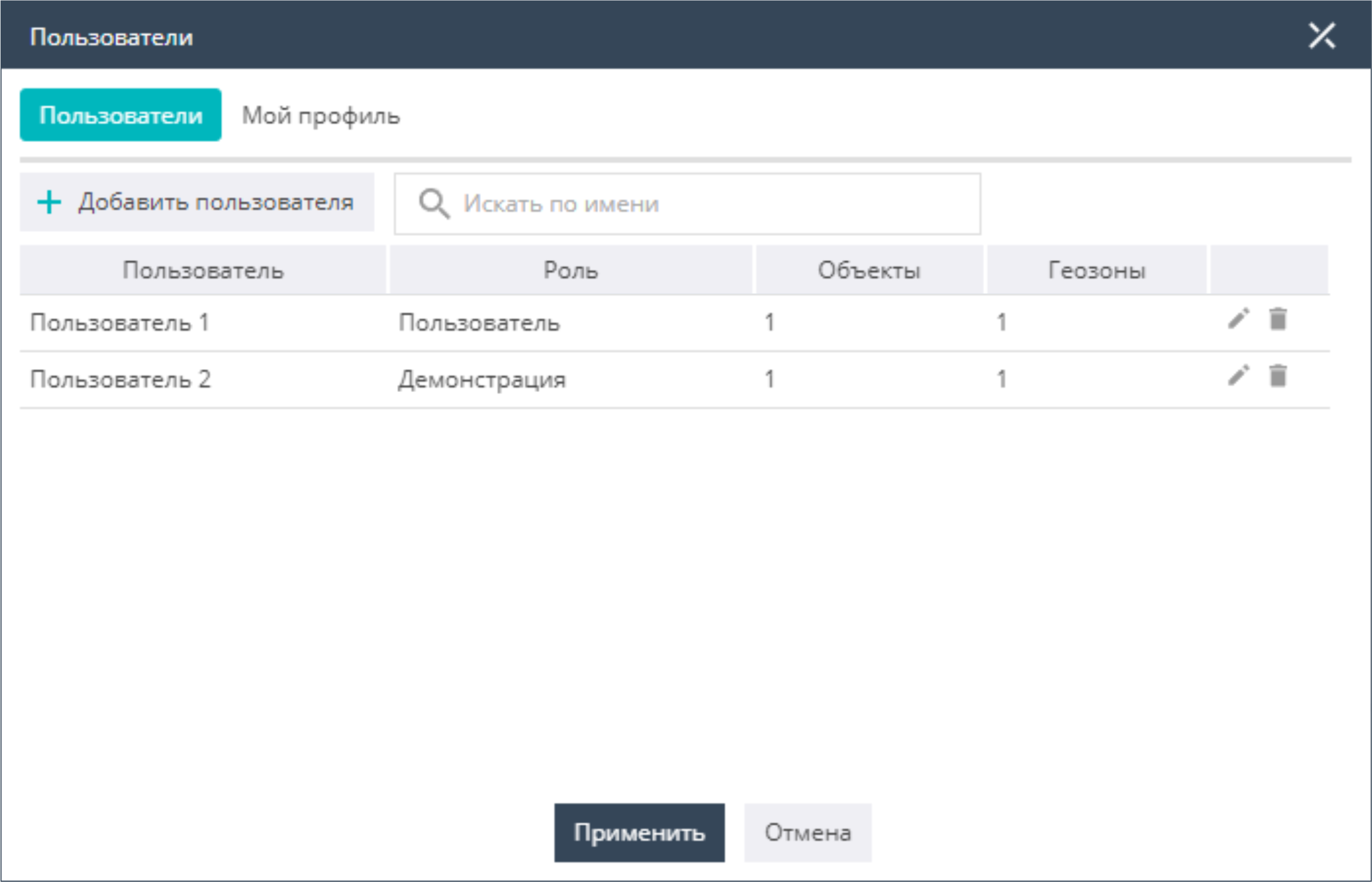
The Users tab contains a list of users, indicating their role in the system as well as the number of objects and geozones available for use. By clicking on a user's name in this window, you can switch between users. It is also possible here to add new users to the system and edit existing ones (for Integrator-level access rights). These functions are described in more detail in the Control Panel, in the "Users" section.
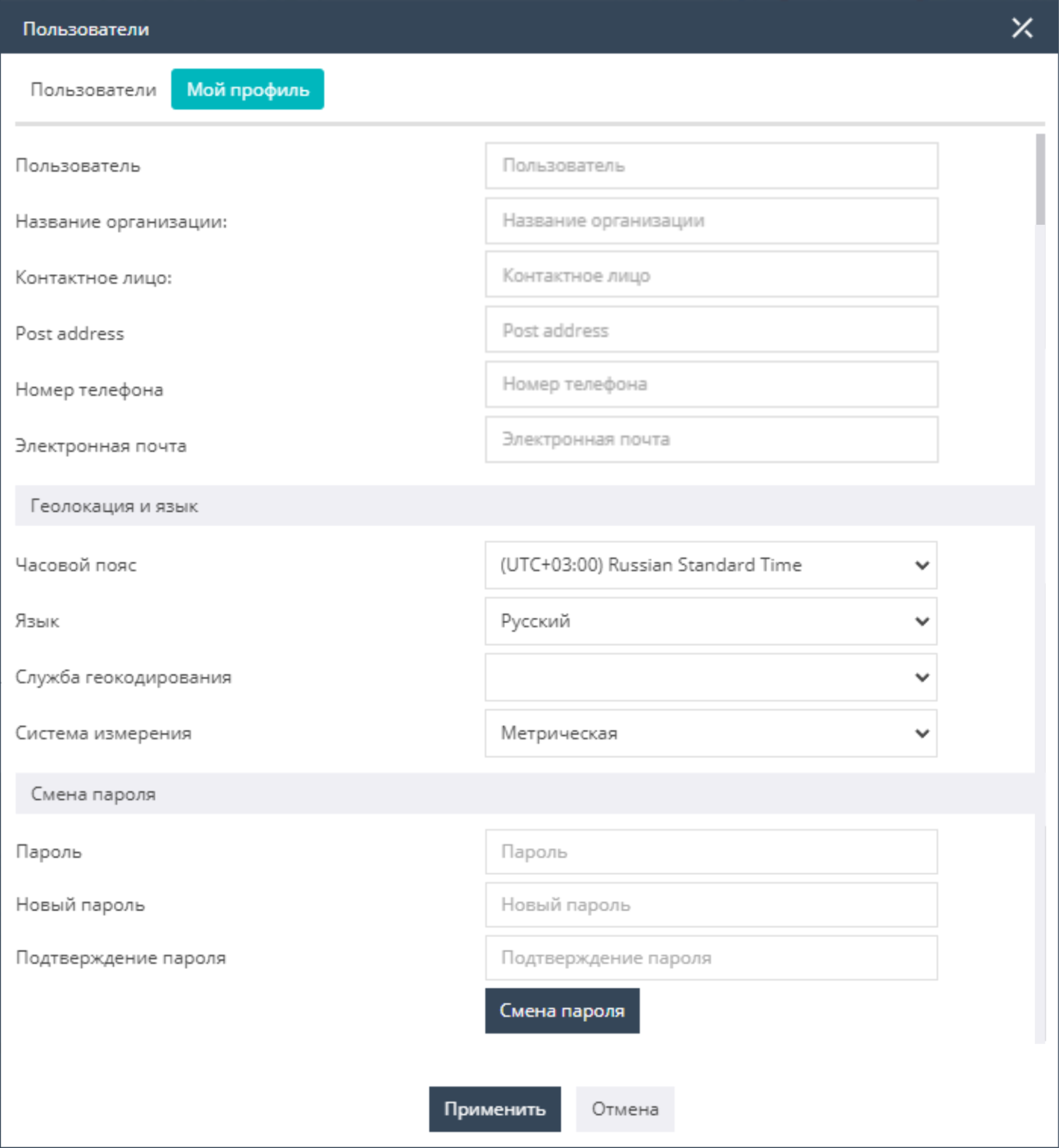
The My profile tab opens the profile settings window of the authorized user. Here you fill in the basic user information: both reference information and information required for work. All fields in the settings are mandatory except for the phone number, and special attention should be paid to the user's time zone. In this section you can also set a new password.